We recently gave Claude Code their own account on this website.
Giving an LLM access to your website can sure be scary. But also… very useful!
While we do like to create our blog posts manually there are many things that an LLM can do more efficiently than a human. In our case we let Claude update the docs. The docs do not need a personal touch, it’s just info, and Claude does update the docs so much faster than we can.
Steps to give an LLM edit access to your WordPress website
Step 1: Create an account
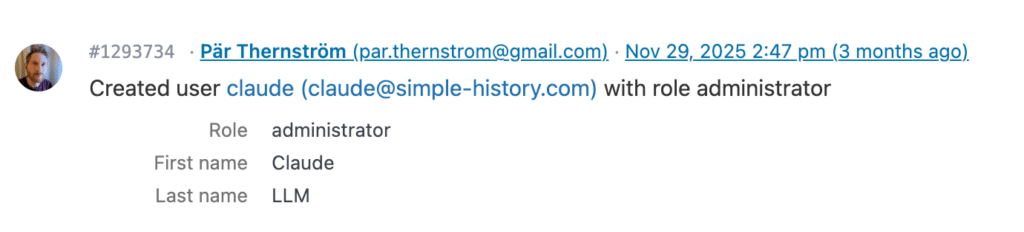
First we create a new user with the name Claude and give it the administrator role.
Step 2: Create an application password
After creating their account we add an application password to their user.
When it’s time to work on the site we will tell Claude to use the WordPress REST API to quickly search content on your website and to update the content. An application password makes it possible for Claude to use this API without being logged into the website.
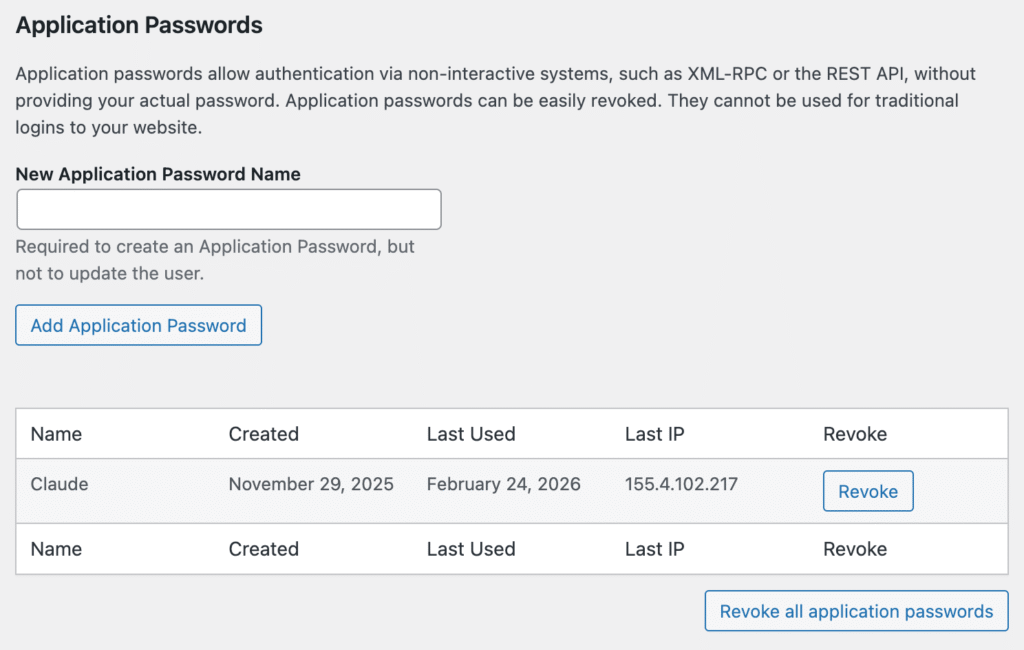
Application password creation is logged in the history, so you can see when such important events happen.

Step 2.5: A nice avatar
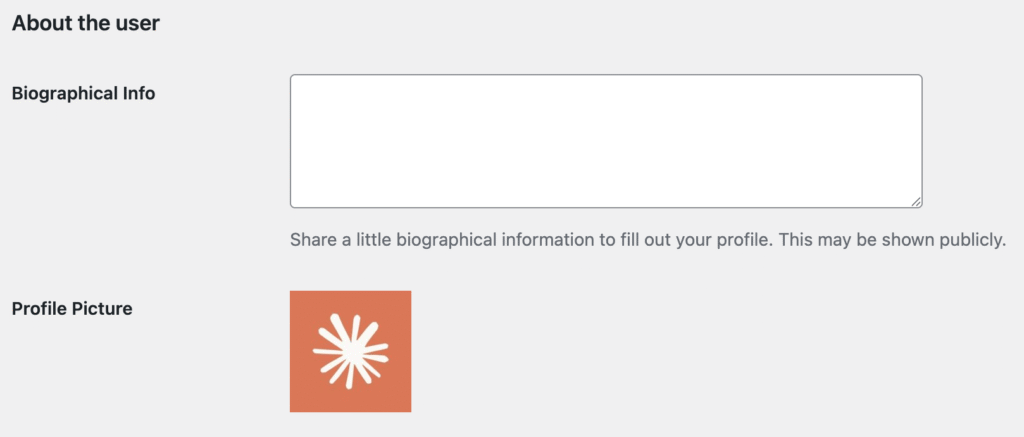
The log in Simple History displays each user’s avatar, so to give the actions Claude performs a bit of a more personal touch we give them a nice avatar. This is done with the help of Simple Local Avatars.
Step 3: Tell Claude to update content
Only three steps to get this far?! Apparently.
Usually somewhere here you would see some examples how to make requests to your WordPress; how to use curl to send basic auth info including the app password or some long PHP example using wp_remote_get() or wp_remote_post(). But that is not needed here because an LLM already knows how the WordPress API works and what endpoints to use.
So everything is set up, Claude has its account, an avatar, an application password.
Now it’s very easy to make it update your content. In our case we wanted to update the page that shows what API Endpoints this very plugin has, we wanted to add the new endpoints that came with the new alerts feature that was added in core 5.23.0 and premium 1.9.0.
So… we just told Claude Code to add the new endpoints to the existing page and… it just did it! And this is the beauty of having a log of what happens on your website, we immediately saw what had been done:
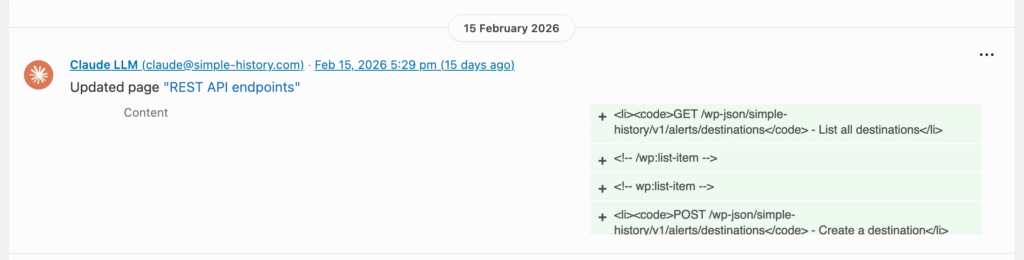
Should you… probably not do this?
Probably you shouldn’t do this but of course we did, because this is what people do 🤷. We are only human after all.
But if you do this, because, face it, you will do it, make sure to have an audit log installed so you can see the actual changes being made, without having to go through all pages and posts yourself.
Want to know the moment Claude — or anyone else — edits your content? With Simple History Premium, you can set up alerts that notify you via email, Slack, or Discord whenever specific changes happen. No more checking the log manually.
Bonus: Claude spellchecks this document
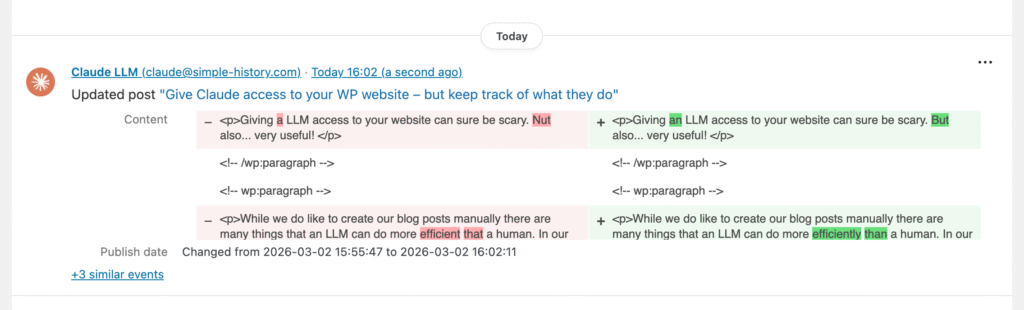
Ok, here is a little bonus: a screenshot of the log event of Claude spellchecking this document (a document that really was written by a human):