
Your WordPress activity logs are about to get a whole lot more useful.
I’ve had the same requests from users for a while now. Just last week I was in a video conference with a client who wanted to send their logs to GrayLog.
So I’m excited to share what I’ve been working on for a while now: Log Forwarding. In the first iteration i have added three methods for forwarding your WordPress activity logs:
1. Local Files
The first log forward method is local files. It’s the most simple one as it simply outputs a copy of each event to a local file. You can specify the format of the file (default human readable, but premium users can have RFC 5224 syslog format or my favorite JSON Lines! There is also an option to specify how often new files should be created (daily, weekly, monthly) and how many files to keep. Worth noting is also that the file retention period is independent for the built in default retention policy and independent from the clear log button, making those log files
Here’s a screenshot of the settings. From the start there will be support for a human readable format and for three industry-standard formats (usable for reading logs using tools, like our new favorite log viewer hl).
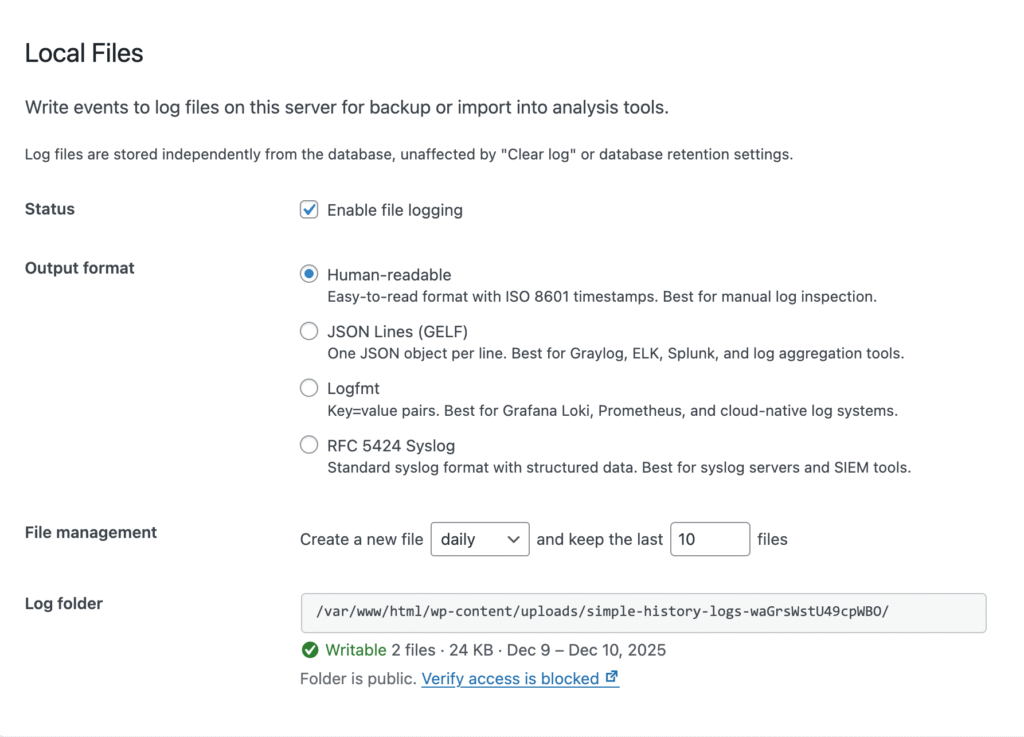
Some details about the formats:
- Human readable – an easy to read format. Used by.. well.. humans!
- RFC 5424 — the syslog standard.
- JSON Lines (GELF) — works great with ELK, Graylog, and Splunk.
- Logfmt — perfect for Grafana Loki fans.
2. Syslog Integration
The syslog forward makes it possible to send events directly to your syslog infrastructure. Whether you’re running a local syslog daemon or a centralized rsyslog server across your network, your WordPress logs can now be part of the bigger picture.
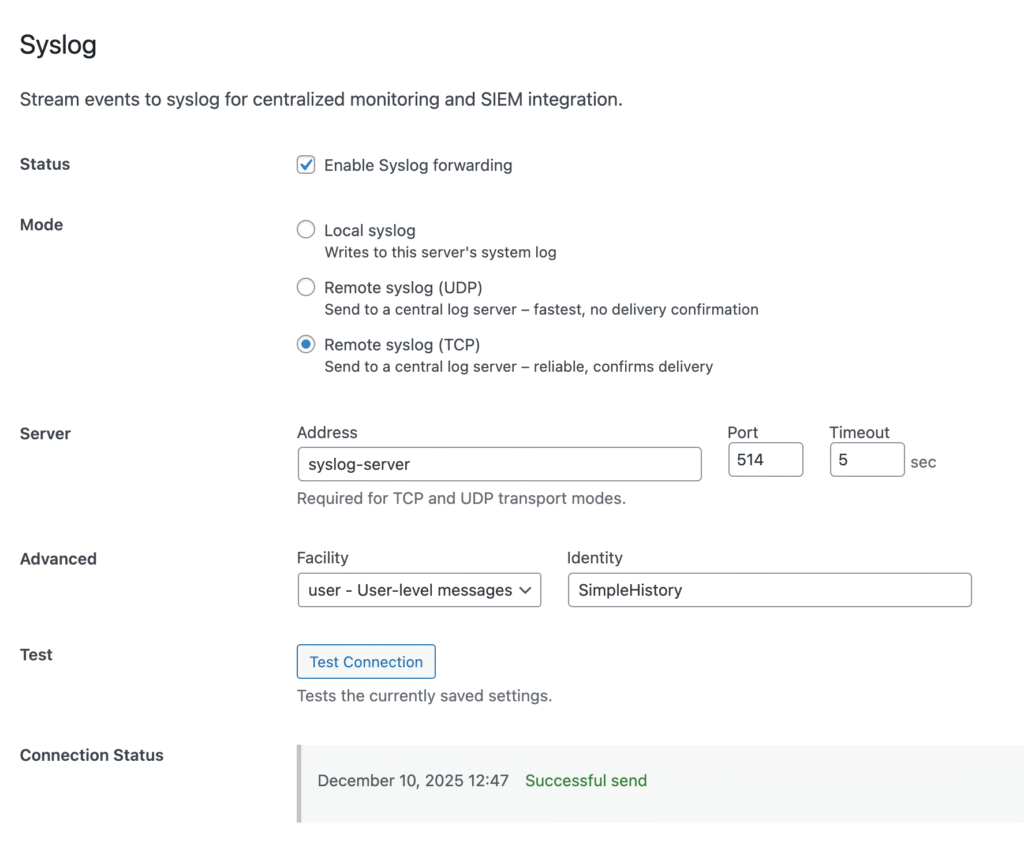
In the first version we will support:
- Local syslog — writes to your server’s system log
- Remote UDP — fast, fire-and-forget delivery
- Remote TCP — reliable delivery when every log matters
This opens the door to proper SIEM (Security Information and Event Management) integration for those of you with security monitoring requirements.
3. Remote Database
This one’s for the compliance-minded folks. Forward all your logs to a completely separate MySQL or MariaDB database — one that your WordPress site can only write to, never modify or delete. This database is also not affected by the usual log retention periods or the clear log functionality. Great for keeping traces of website activities for long period. Just make sure that the database can grow large and you will be able to store years of activity logs!
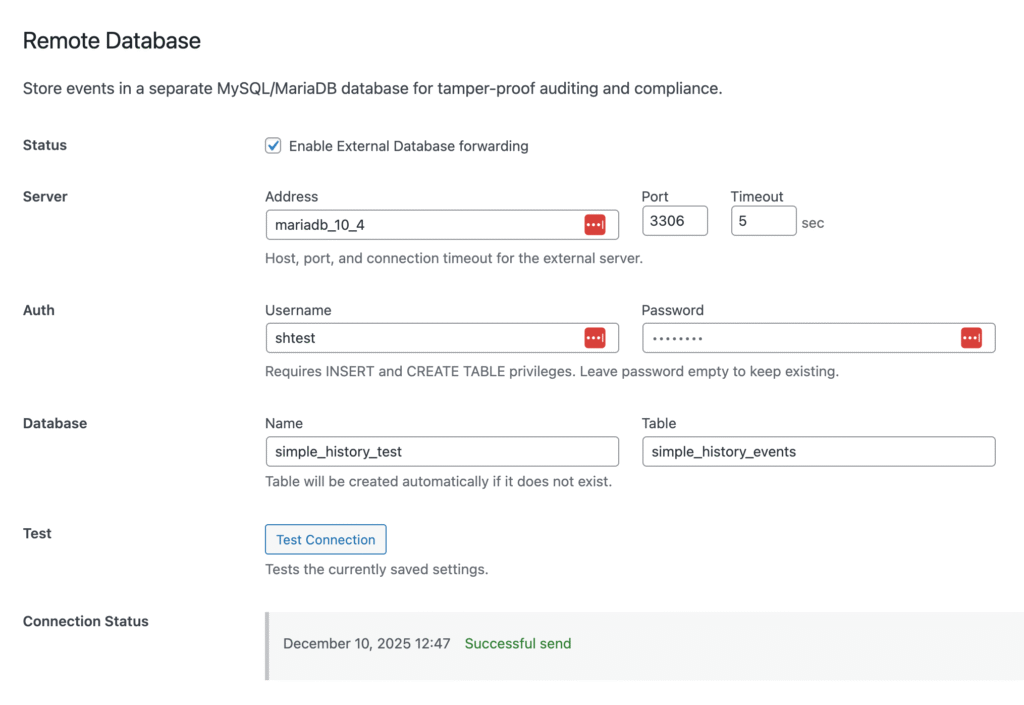
Why does this matter? Tamper-proof audit trails. If someone compromises your WordPress installation, your audit logs are safely stored elsewhere. Perfect for regulated industries or anyone who takes security seriously.
So when is it coming?
Soon!
I’m still polishing things up, but I wanted to give you all an early look. More details coming soon. Expect a beta version to be released in a few days!
Got questions or specific use cases you want to make sure I’m covering? Reach out and let me know!