
Here is a little sneak peek of a new premium feature that we are working on: Alerts! The alerts feature will let you forward events to popular destinations like Email, Telegram, Slack and Discord.
So first, what do we mean by “Alerts”?
In Simple History alerts are selective, rule-based notifications that are triggered when specific events occur. It’s a great way to know what happens on your websites without logging in — whether you’re on the go or away from your desk.
Send events to Slack, Discord, Telegram & Email
Using alerts you can send events of your choice to one or multiple destinations.
You can for example send
- Failed logins to a Telegram channel.
- Updated posts to a Slack channel.
- New user registrations to any email.
- Notes added to a post to a Discord channel.
Example: Sending failed login attempts to a Slack channel
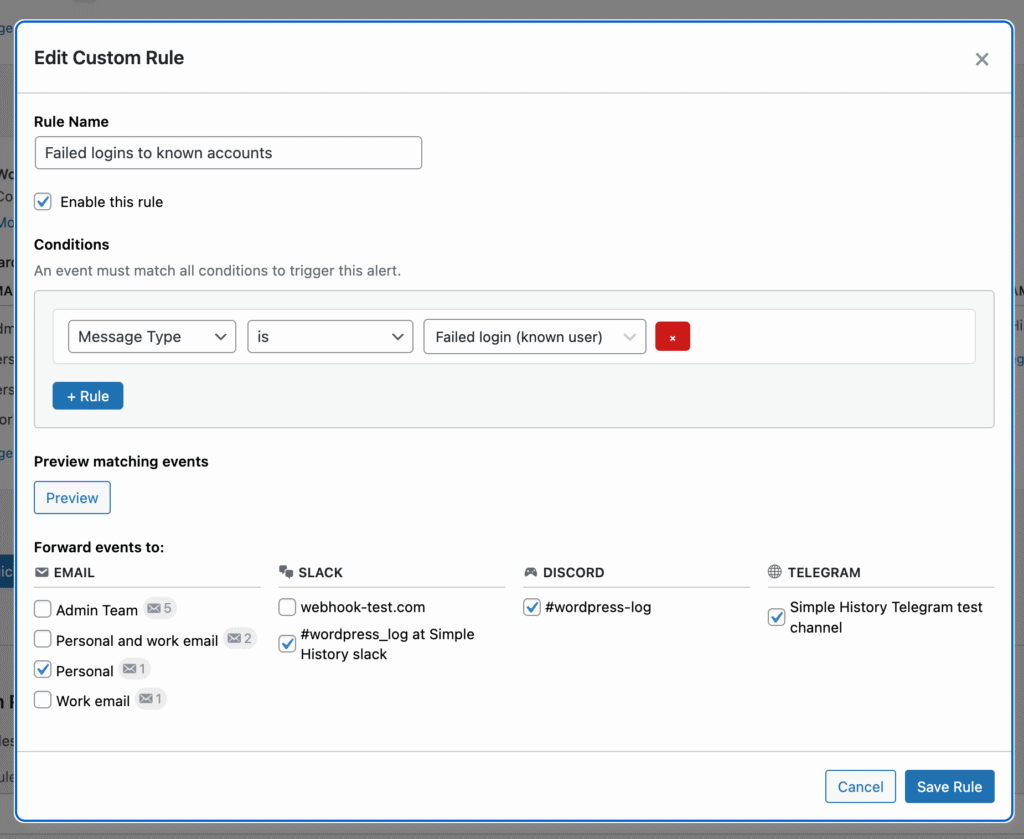
In the screenshot below we have created a rule that sends failed logins to known user accounts to a Slack channel. Then in Slack you can act on each alert together with your co-workers, like reacting to the alert or discussing it.
If wanted, you can easily also add another rule that sends a message to the same channel when a post is published. Or…any other event.
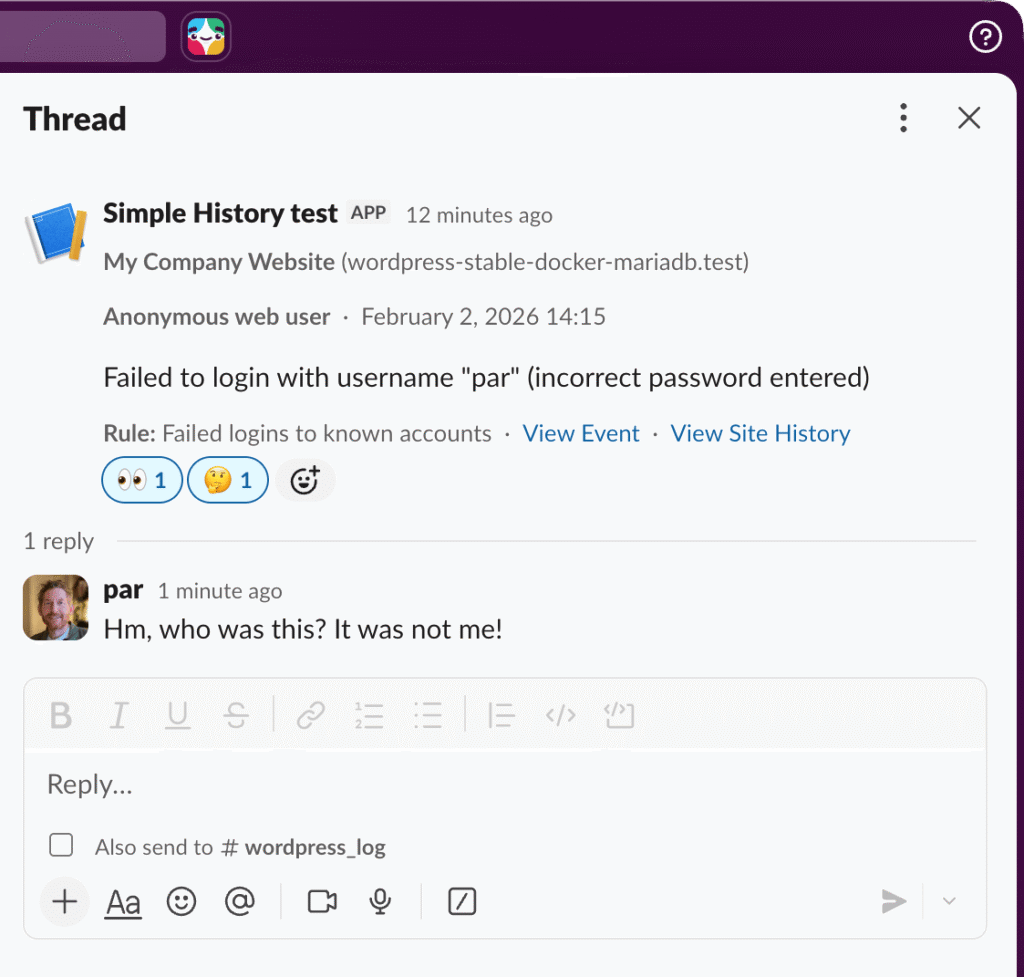
Get instant notifications on your phone and on the go
Not only do we support Slack, but also Discord, Telegram and plain old school emails.
Want to get notified right away when a failed login attempt to a known user is logged? Just add a custom rule for failed login attempts and select Telegram as the destination and boom you get a notification on your phone whenever someone tries to login.
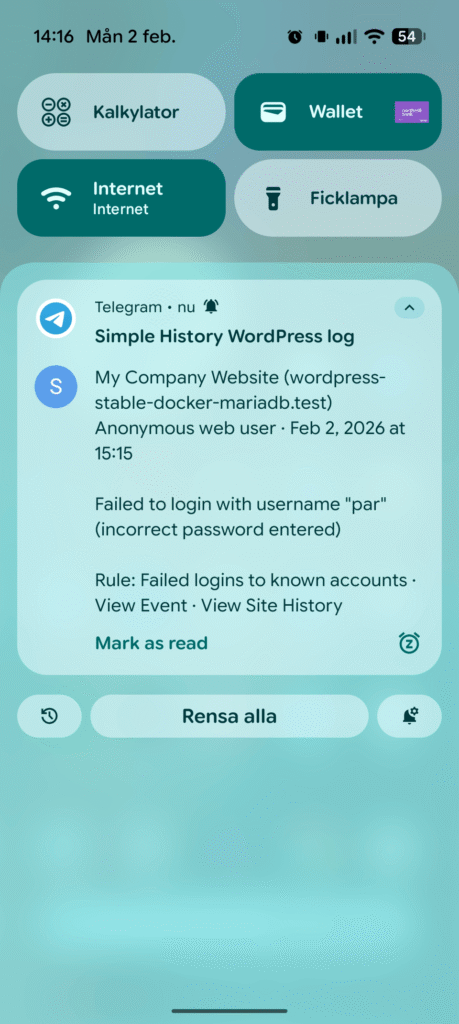
Get notified the moment something happens — no need to check your dashboard or wait until you’re back at your computer.
Define destinations once – reuse multiple times
Get started quickly with pre-configured alert rules for common scenarios.
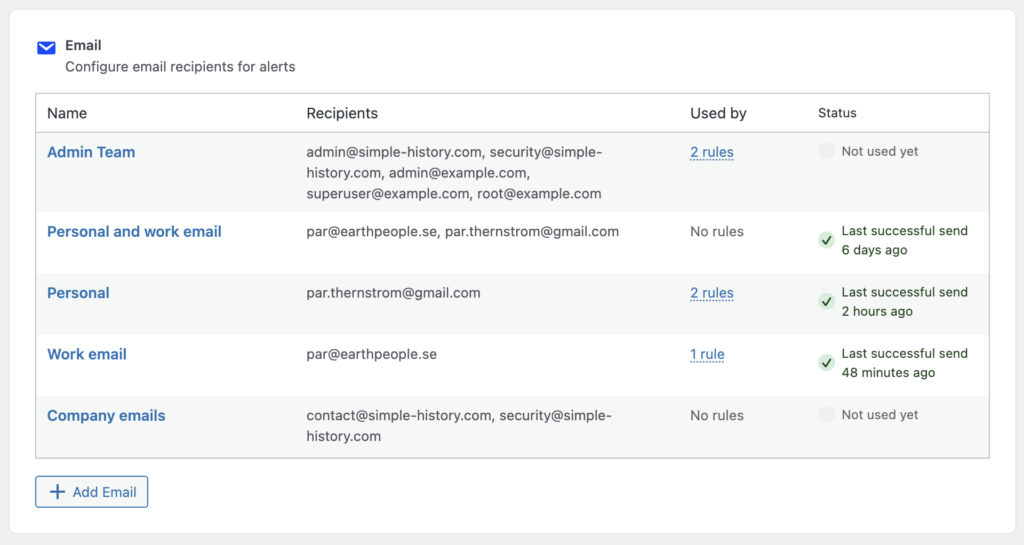
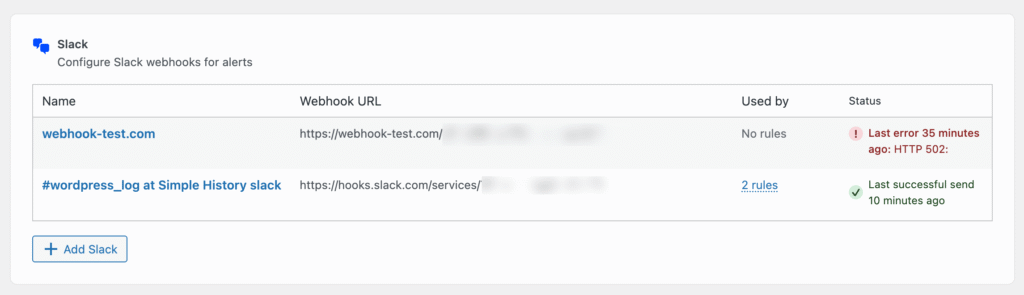
Now this is pretty smart; instead of needing to specify a destination for each alert, you start by specifying all your targets first, and then you just select them in each rule later. No need to enter the same email addresses multiple times and no need to copy paste long Slack callback URLs. And same thing for Telegram config and Discord.
Here is how the overview for emails can look like:
And here’s how the overview for Slack looks like:
Simple alerts setup…
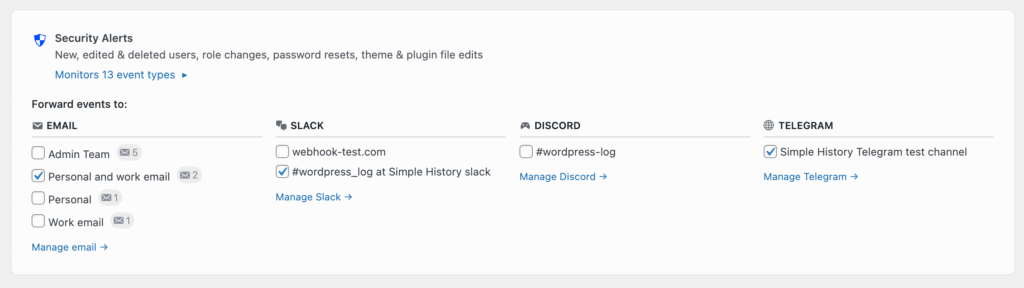
We know that alert rules can be tricky to setup, that’s why we have pre-configured presets that you can use to quickly get started:
- Security Alerts:
New, edited & deleted users, role changes, password resets, theme & plugin file edits - Content Changes:
New, edited & deleted posts and pages, media changes - WordPress & Plugin Updates:
Includes Core, plugin & theme installs, updates, activations.
Just check the destinations you want events forwarded to and save and you’re ready to receive events matching the preset. Fast! Easy!
…but also advanced rules for power users
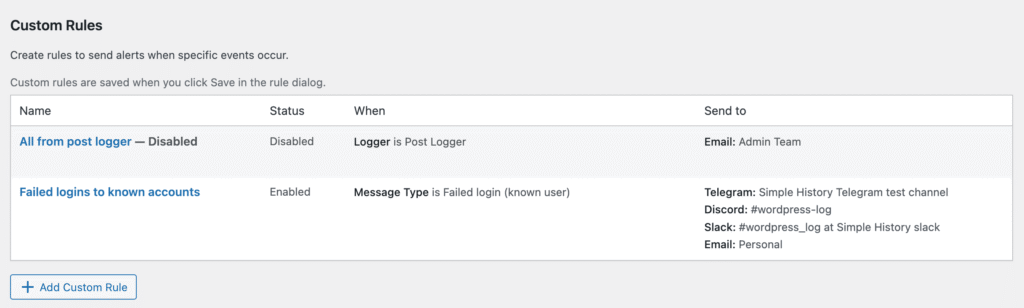
Advanced users may find the presets too limiting. That’s why there also are custom rules, where you can specify alert to suit your needs.
Create custom alert rules with specific conditions for advanced filtering.

Alerts will be available…soon!
Stay tuned — we’ll announce when Alerts is available!