
Back in 2010 I wanted two small things for my WordPress sites: a better page title for Google, and a shorter name in the menu. So I wrote a plugin that did exactly that, called it Simple SEO, and put it on WordPress.org.
It was probably one of the earliest SEO plugins for WordPress. Yoast SEO, for example, arrived seven weeks later. (All in One SEO beat me to it, though.)
The years passed quickly. Themes stopped using the wp_list_pages() function to list pages, because WordPress got a menu system where you could set the label yourself.
So the need for custom menu labels went away. Simple SEO got its last update in 2012, and then it slept for fourteen years. It rested through 37 major WordPress releases and one block editor!
Fast forward to 2026. I’ve been using other SEO plugins, on my own sites and on client sites. On my own sites I noticed something: I rarely touched most of the fields those plugins gave me. For most of my sites, a good title and a description is all the SEO they need. So why run a plugin with a gazillion fields and a bazillion upsell notifications, when all I do is change the page title and sometimes add a meta description?
So I brought Simple SEO back to life. Around 300 sites were still using it after all those years, and they deserve a plugin that works with today’s WordPress. Version 1.0 came out on September 26, and after a busy first week it’s already at 1.4.
And yes, every SEO change shows up in Simple History. More on that below.
What you get
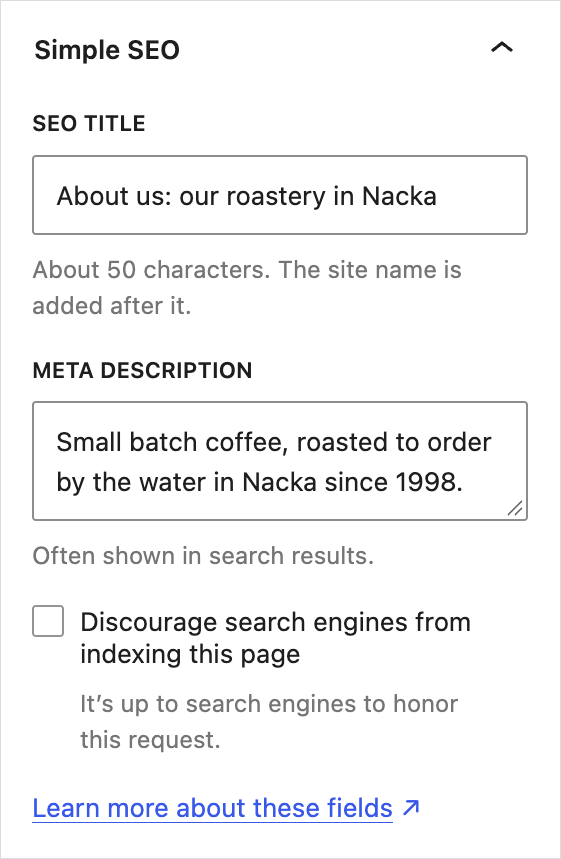
For now it does the things I need and use myself:
- SEO title. The title search engines and the browser tab show. Your headline can say “About us” while Google says “Our story | Small batch coffee”.
- Meta description. The short text search engines often show under the title.
- Discourage search engines. For thank-you pages, test pages and anything else that doesn’t belong in Google.
Fill in a field to use it. Leave it empty and WordPress does what it always did.
Some things happen without you doing anything:
- Links shared in Slack, iMessage, LinkedIn, Mastodon, Bluesky and Facebook get the right title, description and image.
- Tells Google your site’s name, which it shows next to your pages in search results.
- WordPress’s own sitemap leaves out the pages you asked search engines to skip.
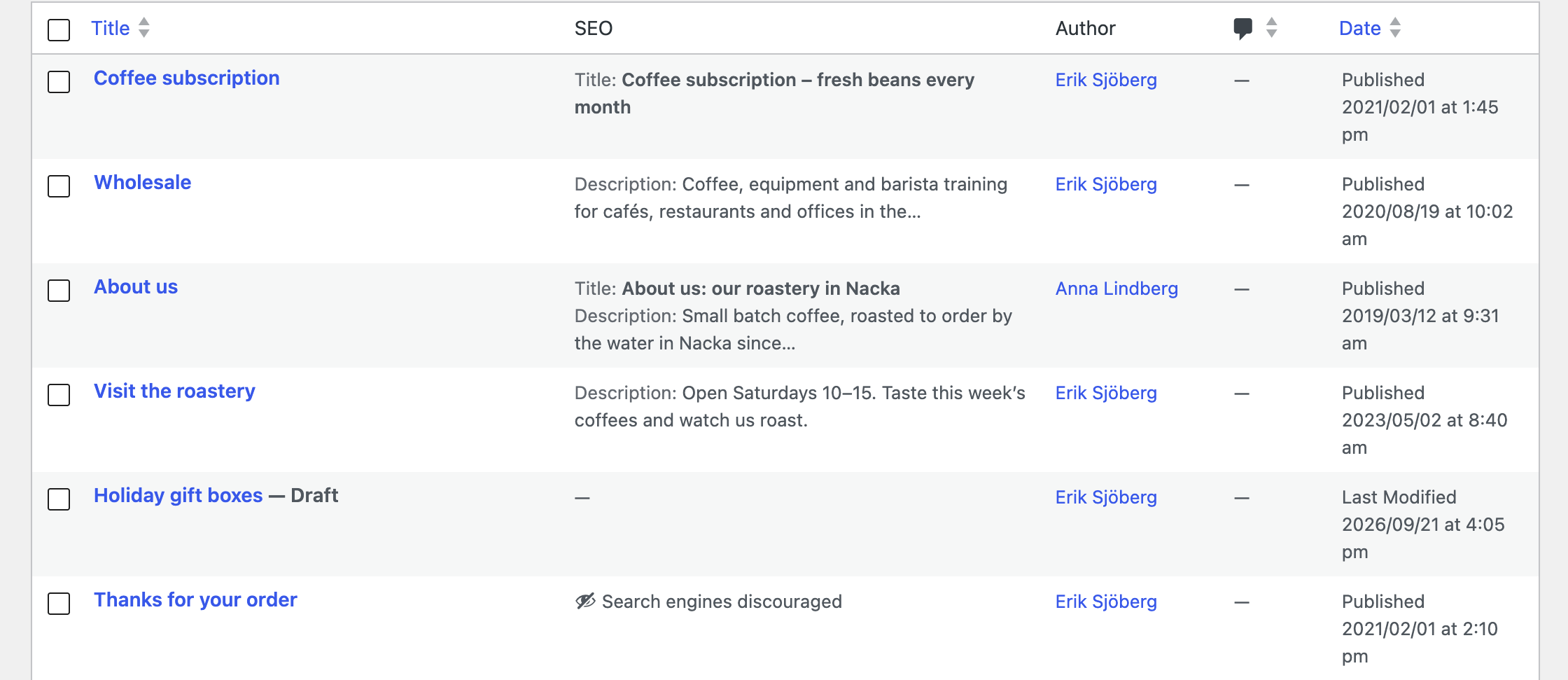
It works in both the block editor (a panel in the sidebar) and the Classic Editor (a box below the editor). The Posts and Pages lists also get an SEO column, with the fields in Quick Edit.
What you won’t find
No readability scores or green lights, no dashboard widgets, no “Go Pro” banners, and no “optimized by Simple SEO” comment in your page source.
I also make sure it stays fast. It doesn’t add any database queries to your pages.
Easy for AI tools to work with
If you use AI tools like Claude Code to work on your sites, Simple SEO is easy for them to deal with. Everything it stores is plain post meta with readable names: _simple_seo_title, _simple_seo_description and _simple_seo_noindex. Nothing hidden away in a custom format.
The fields can be read and changed through both the REST API and WP-CLI, so an AI agent can use the same tools it already uses for everything else. Ask it to find the pages without a meta description and write one for each, and it can do that with commands like these:
# List pages that have no meta description
wp post list --post_type=page --meta_key=_simple_seo_description --meta_compare="NOT EXISTS" --fields=ID,post_title

# Add one to page 42
wp post meta update 42 _simple_seo_description "Small batch coffee, roasted to order in Nacka."Code language: PHP (php)
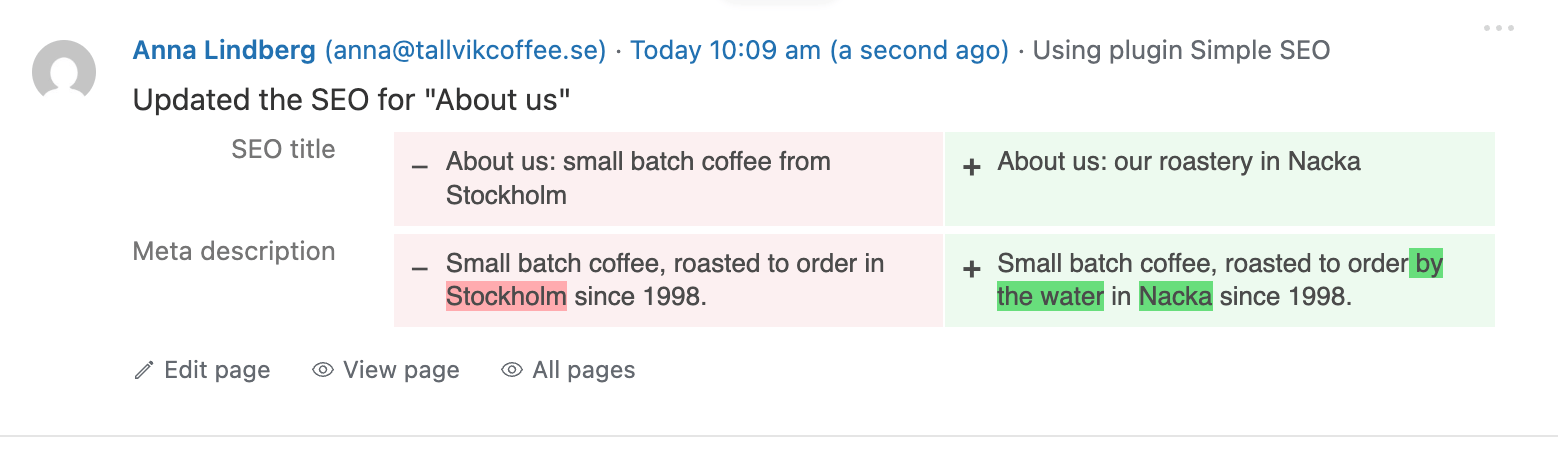
And with Simple History installed, you can see afterwards exactly what it changed, page by page, with the old and new values.
This is also where Simple SEO is going. I’ll keep adding to it, mostly things I need on my own sites, and more and more of that work happens through AI and automation instead of clicking around in wp-admin.
It works with Simple History, of course
If you use Simple History, every change to the SEO fields shows up in the log: who changed a title, when, and what it said before. Handy when a page suddenly drops in Google and you want to know if someone “improved” its title last week.
And if you use CMS Tree Page View (a plugin to manage pages, also one of my plugins), a page’s SEO title, description and menu label show up in the page tree.
Get it from WordPress.org
Search for “Simple SEO” in Plugins → Add New Plugin, or download it from wordpress.org/plugins/simple-seo. It needs WordPress 6.6 and PHP 7.4 or newer.