
Premium 1.16.0 adds a table view to the event log, for when you need to dig into what happened. The lists in the weekly email are clearer, and there are several security fixes, so please update. It needs Simple History 5.34.0.
A table view for the activity log
The detailed and compact views are good for reading what happened on your site. When you’re doing more advanced digging, like finding who changed a setting last Tuesday or what happened right before the site broke, a table works better. So Premium now has a third view: the table view.
Click the table button above the event list to switch to it. You can then:
- Sort by any column, and pick which columns to show.
- Click a value in a cell to show only the matching events, or to hide them.
- Write advanced filters in the query bar, like
level:warning day:yesterday, or-logger:SimpleHistoryLoggerto leave out Simple History’s own events. - Save a set of filters as a view and get back to it with one click.
- Select two events and compare them side by side.
- Export all events or only the selected ones, or copy them as CSV or JSON.
- See when things happened in the activity chart above the table, and click a day to filter to it.
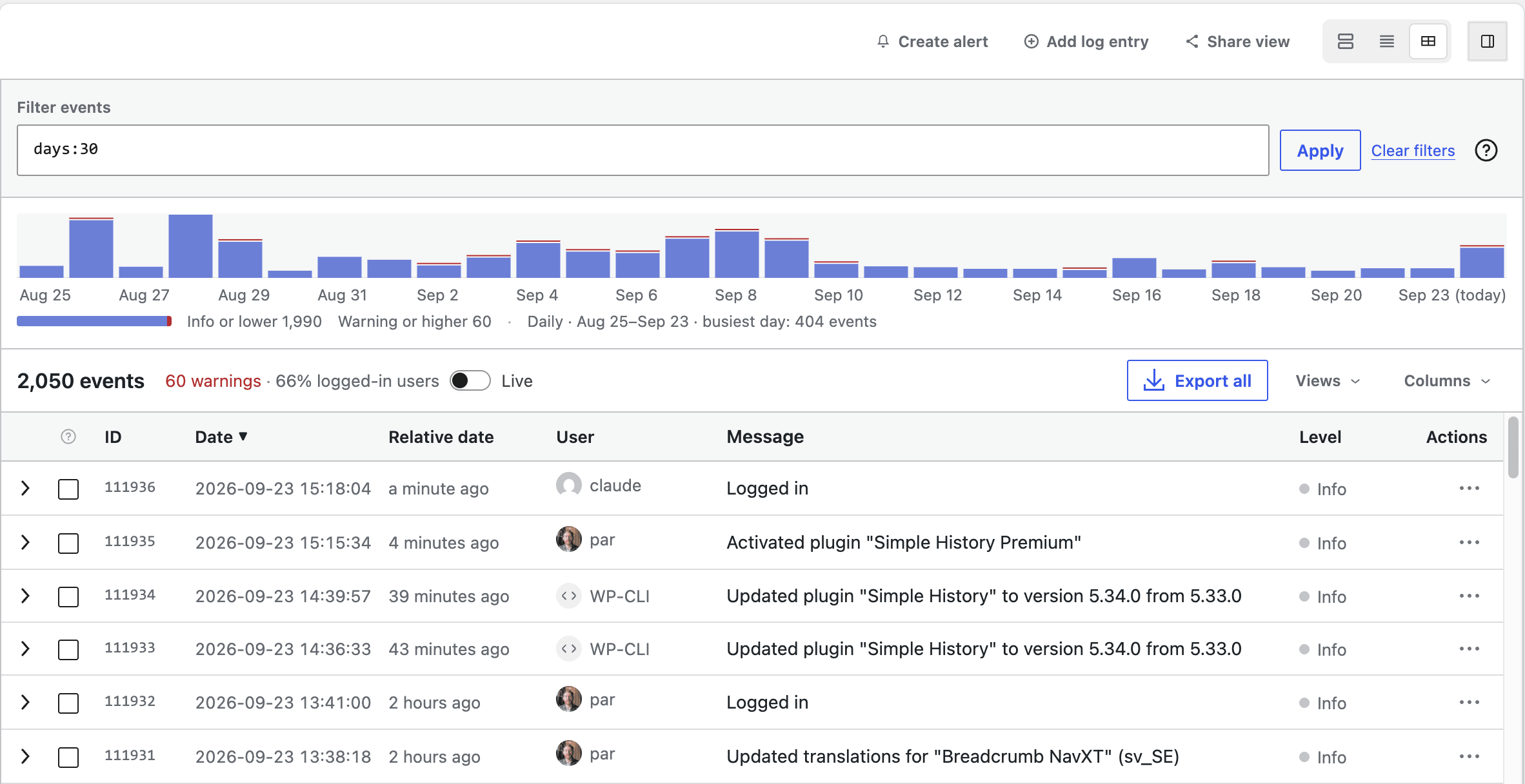
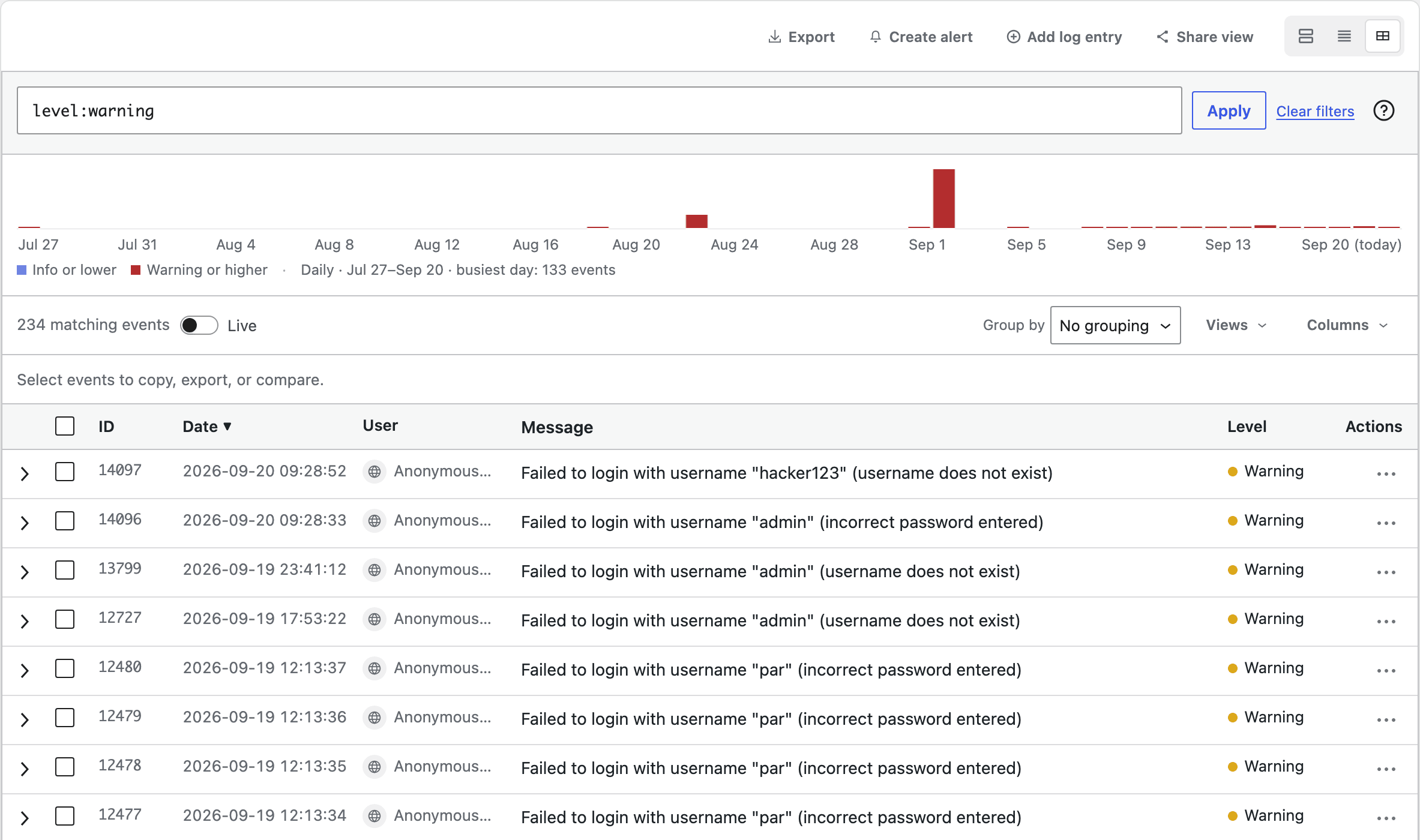
level:warning in the query bar.Clearer lists in the weekly email
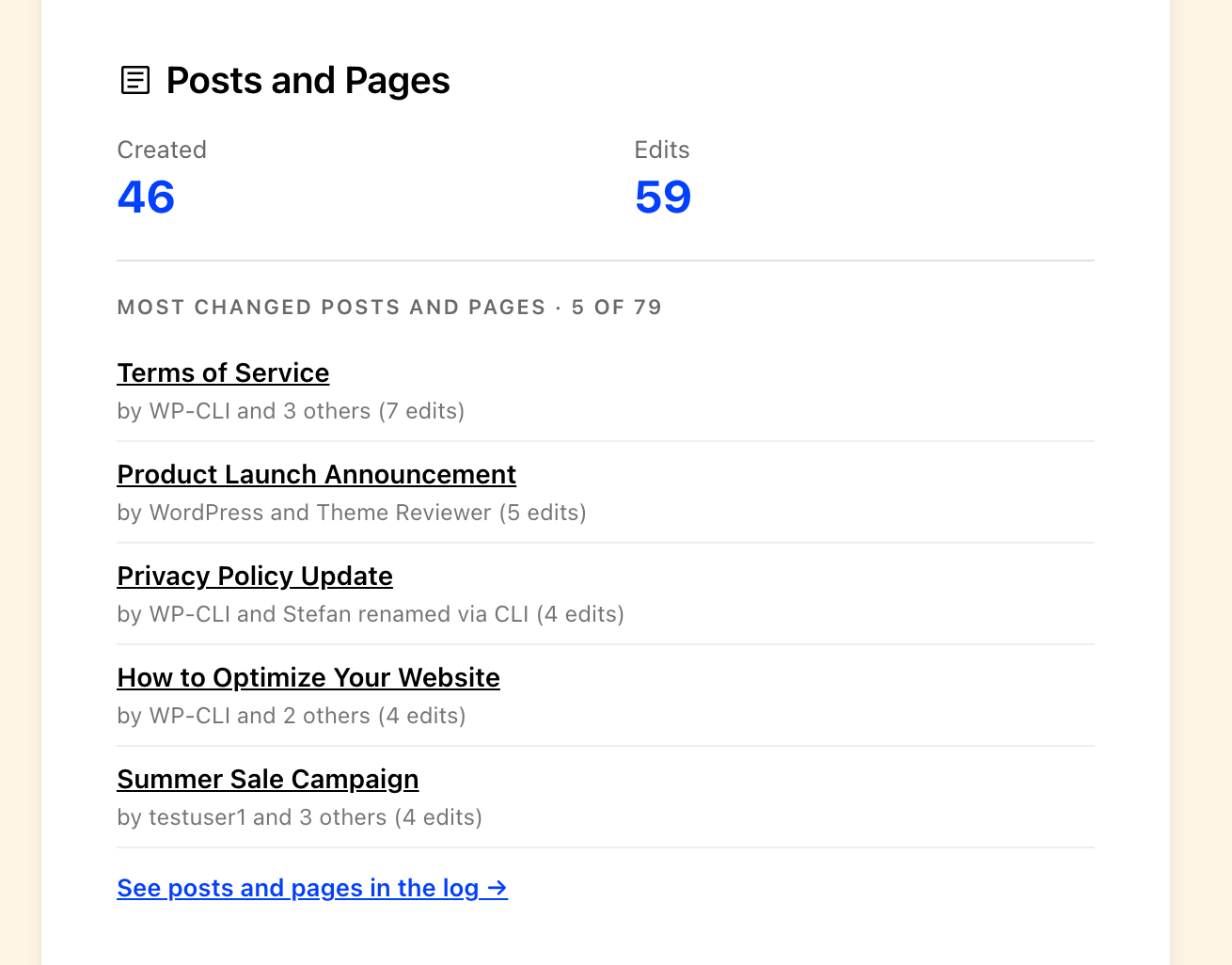
The lists in the weekly email report show each post, plugin or account once, with what happened to it and who did it, instead of one line per event. Every item links to the log, filtered to that item and that week. The same lists are in the plain text version of the email too.
Security fixes
This release fixes five security issues in alerts, log forwarding, Message Control and export, so please update.
- Webhook URLs and bot tokens for alert destinations are encrypted in the database, and the REST API no longer returns them. When you edit a destination you see a masked value, and leaving the field empty keeps the saved one.
- A newline in a username or post title can no longer create fake extra records in your syslog server.
- Message Control checks that you may manage options before it turns a logger on or off.
- The export only accepts the same filters as the event list, so it can no longer be used to get around per-logger permissions.
- Testing an alert destination can no longer be pointed at an internal address to read the response.
Premium 1.16.0 needs Simple History 5.34.0, so update that first. Then update Premium from Dashboard → Updates or the Plugins page, like any other plugin. If something looks off, let me know on the support page.
Full changelog
Added
- Table view for the event log. A sortable, filterable table of your events with saved views, an activity chart, bulk actions, a breakdown of what your events are made of, and a query bar for typing filters. Pick your own columns, including a relative date (“3 hours ago”) shown by default.
- Notes on events: attach a note to an event saying why it mattered, and it is there when you come back to it a week later. Editing a note keeps the previous version, with who wrote it and when, so a note cannot be used to quietly rewrite the record. Writing one needs the same permission as pinning an event. This is an experimental feature while it gets real use — turn on experimental features to try it.
Changed
- The event log’s four most severe levels no longer have four almost identical reds. Critical, alert and emergency share one, so the colours mark a difference you can actually see — the level name is in the row either way.
- Weekly email detail lists are redesigned: each post, plugin or account appears once with its activity summed up and who did it, links open the log filtered to that item and week, and the same lists are also in the plain text version of the email.
- Alert destinations show a masked webhook URL or bot token when editing. Leaving the field empty keeps the stored credential instead of clearing it.
- Requires Simple History 5.34.0, up from 5.29.0.
- Premium is translated into German, French, Spanish, Swedish, Dutch, Polish and Italian. The translations into 15 other languages were removed, so sites in those languages show Premium in English. Missing your language? Let me know.
Fixed
- “Create alert” from the event log no longer fails when a filter contains an emoji, Cyrillic or CJK text, or the curly apostrophe WordPress puts in post titles.
Security
- Alert destination webhook URLs and bot tokens are no longer returned by the REST API, and are now encrypted at rest. Existing destinations keep working and are encrypted the next time they are saved.
- A crafted event can no longer forge extra records in your syslog server. A newline in a username or post title ended the record early, and anything after it was read as a new one.
- Message Control now checks that the user may manage options before turning a logger on or off.
- The export endpoint accepts only the filters the event list accepts, so it can no longer be asked to ignore per-logger permissions.
- Alert destination tests use WordPress’s safe HTTP request, so a destination URL can no longer be pointed at an internal address to read the response back.