
The weekly email now tells you how your site’s week went in its first two lines, and every number in it links to the events behind it. Also: an experimental compact view of the log, plus several fixes including a security fix.
The weekly email got a proper redesign
The weekly email is the only part of Simple History that most people see without logging in. Until now it was mostly a grid of numbers, and you had to work out for yourself whether anything interesting had happened.
Now it starts with a short intro sentence about the week: how many events were logged, how that compares with the week before, whether there were failed logins, and who was most active.
(If nothing was logged at all, it says so and still shows last week’s total. A week with zero events usually means something is broken… or that all users are on vacation!)
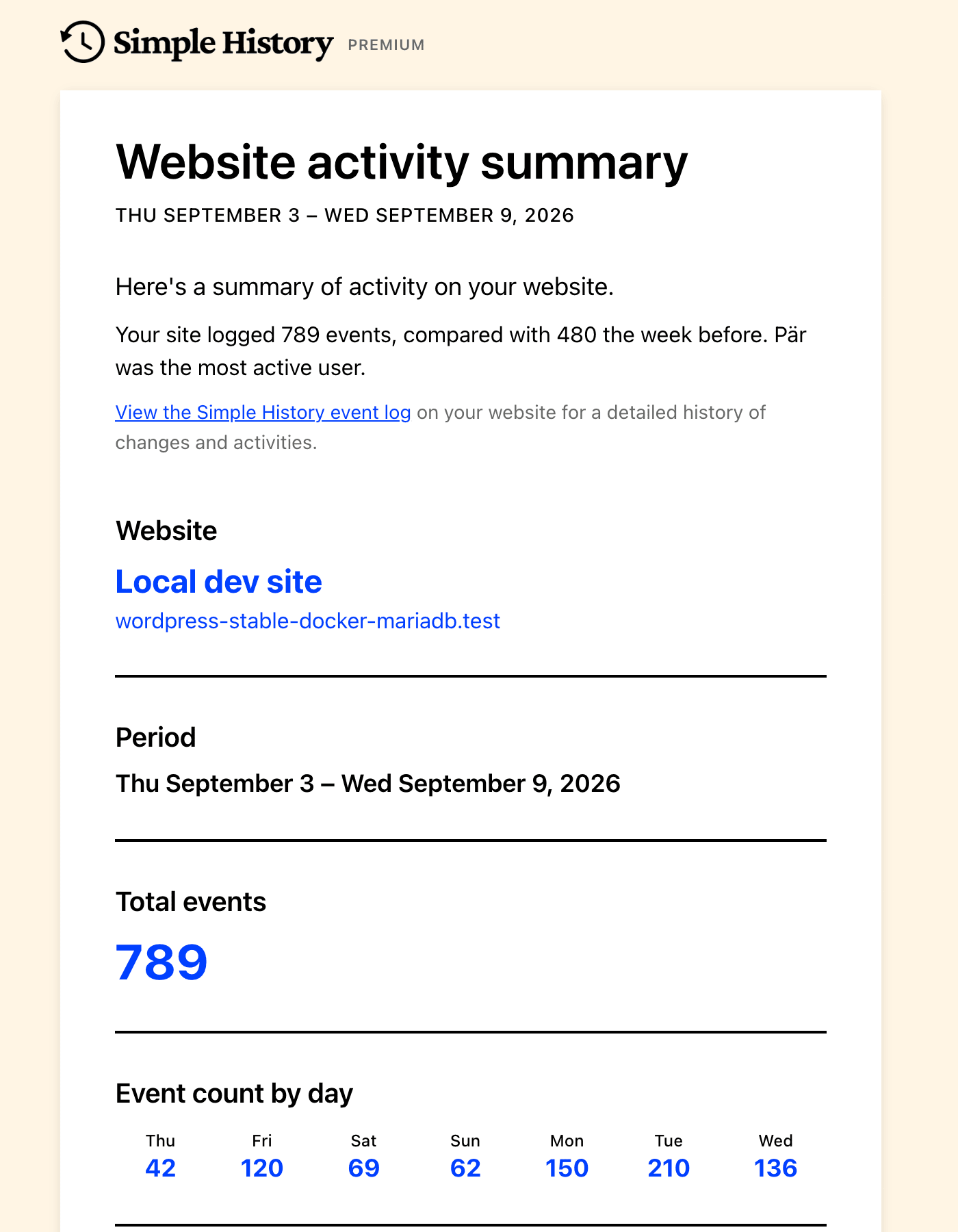
Every number is a link now. Click the number of created or edited posts and the log opens with exactly those events, for the same days.
The email now also includes a plain-text version. HTML-only mail scores worse with spam filters, so this should help it land in the inbox.
Not getting the weekly email yet? You can turn it on with one click from the sidebar of the event log.
Premium adds the details
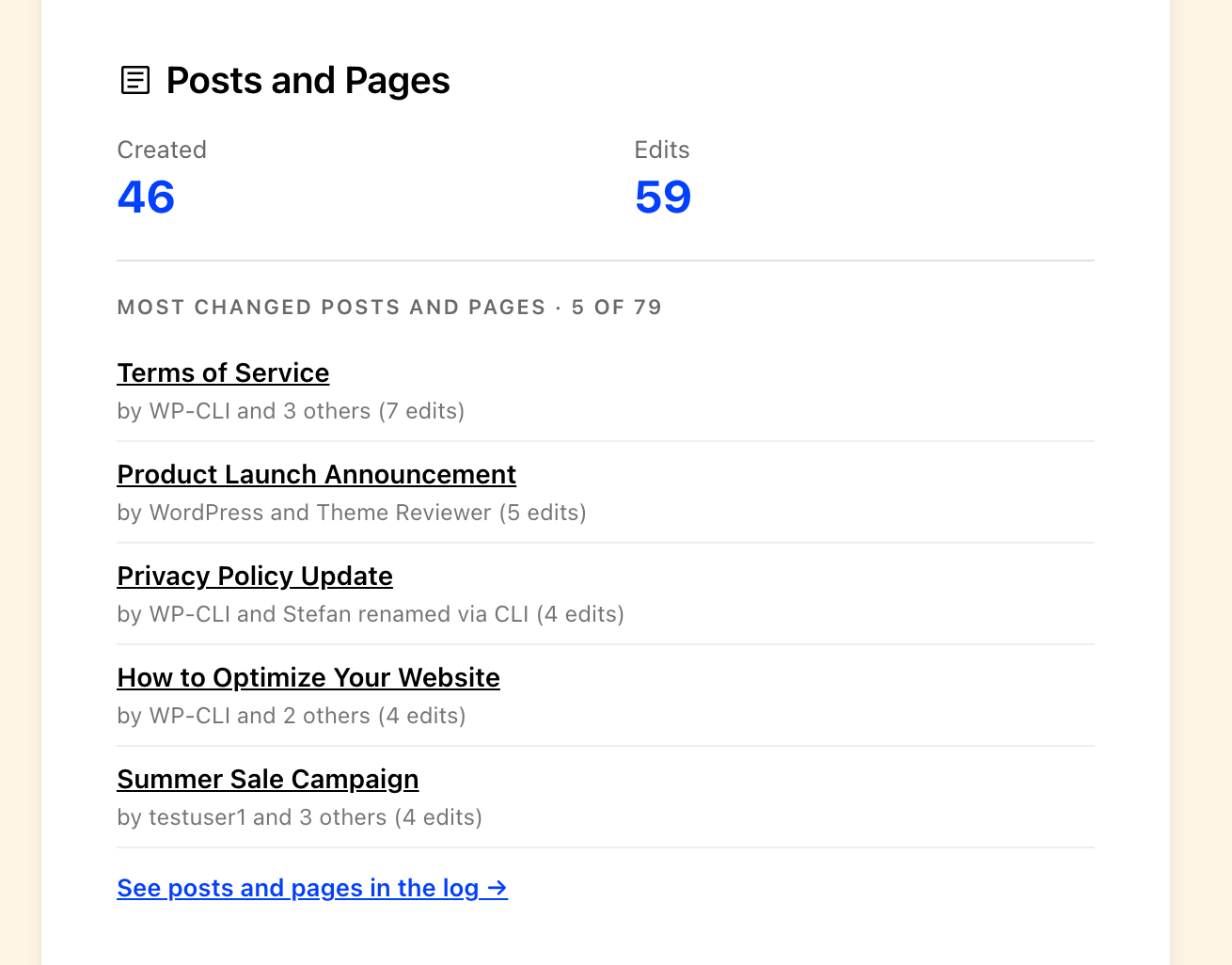
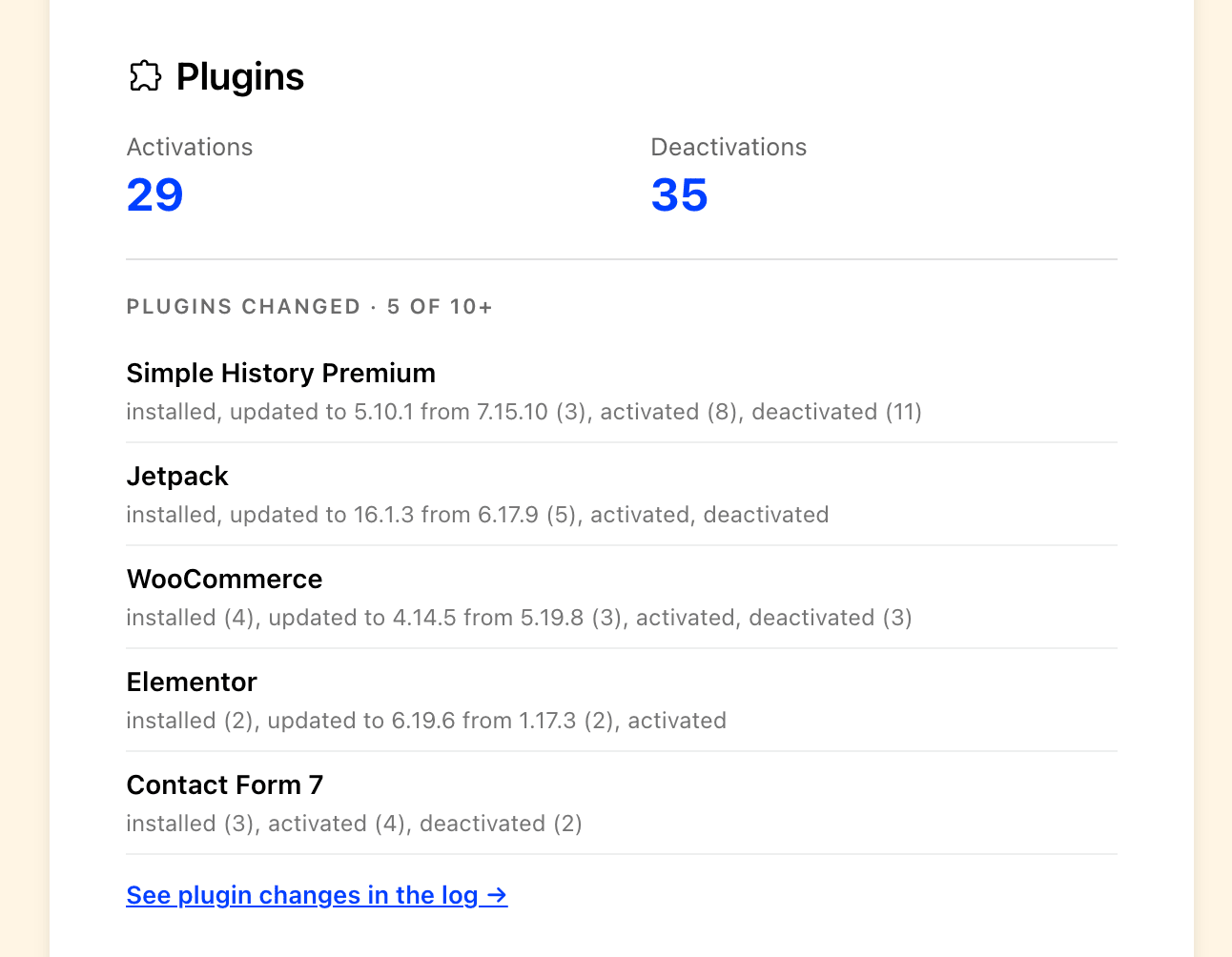
The free email has the numbers. With Premium you also see which posts and pages were edited, by whom, and which plugins were updated. No need to log in to each website to check what’s going on, just wait for the emails to arrive on Monday!
(If you’d rather hear about a failed login right away than on Monday, Premium can also send you an alert.)
Experimental: a compact view of the log
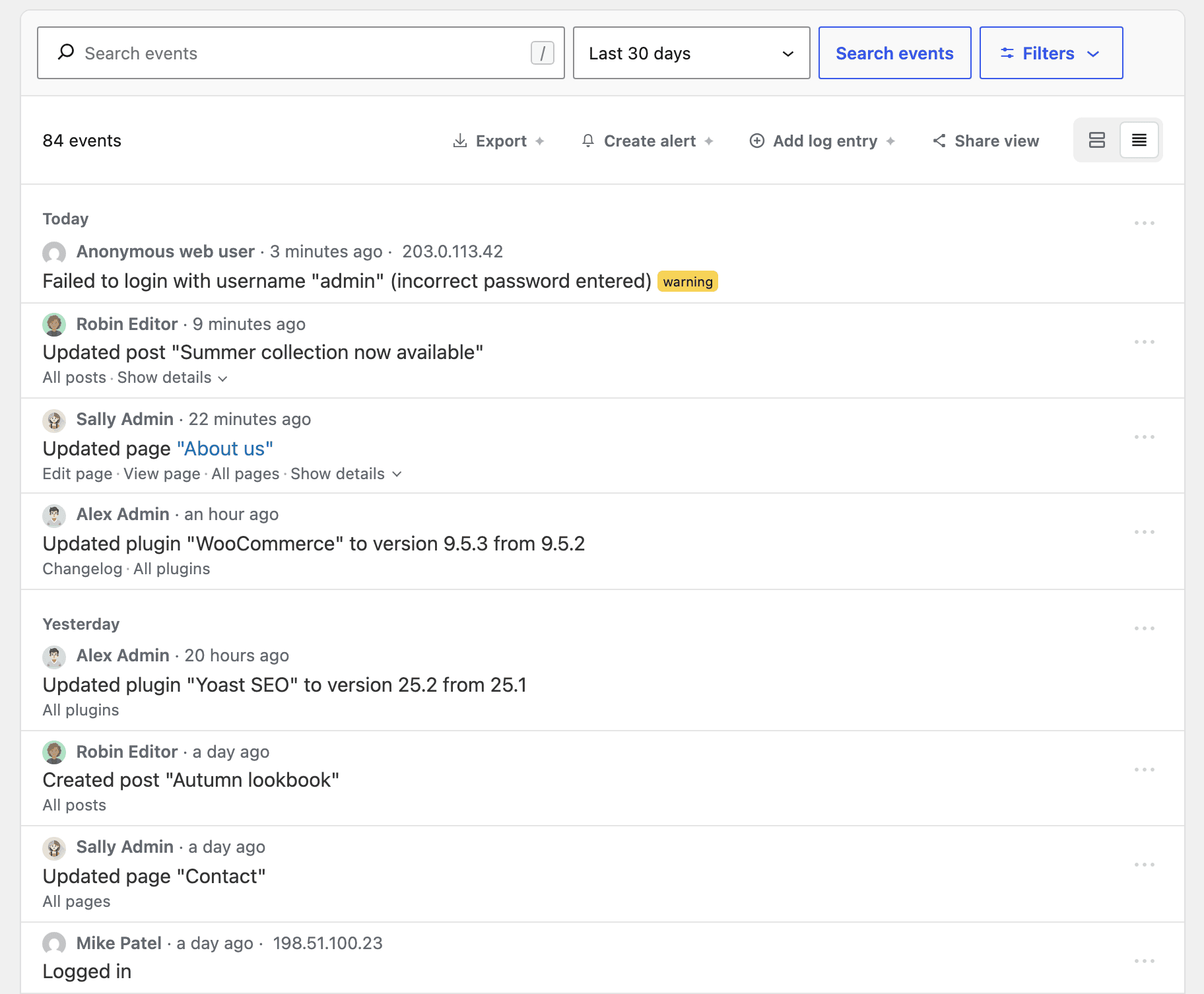
Several of you asked for a way to see more events on the screen at once, so there’s a new compact view you can try. To be honest it’s not as good looking as the detailed view, but hey it’s your choice! 🙂
Turn on experimental features under Simple History → Settings, then use the two view buttons to the right of Share view, above the event list. The log remembers your choice, so you get the same view next time.
It’s still experimental, so I’d really like to hear what you think.
Fixes
Events by WordPress itself or by visitors, like update checks, failed logins and scheduled tasks, are no longer credited to the logged-in admin. Redirection events are logged again with Redirection 5.10.0 and later. There’s also a security fix for Redirection logging, so please update.
Simple History 5.33.0 is out now. Update from Dashboard → Updates or the Plugins page in wp-admin, or download it from WordPress.org. If something looks off, let me know on the support page.
Full changelog
Added
- Weekly email can now be turned on with one click from the welcome notice, the welcome log entry and the log sidebar (yup, we really like the weekly email, and we think you will too!).
- Experimental: Compact view for the event log, which fits more events on the screen.
Changed
- Weekly email design updated: wider layout, section icons, clickable numbers linking to matching events, shorter captions and a single “Nothing to report” line for empty sections. Now includes a plain-text version, so it’s less likely to end up in spam. Opens with a short summary of the week: event count, change from last week, failed logins and most active user, and closes with a tip.
- WordPress, WP-CLI, anonymous user and “other” cards link to their events for all users.
- Repeated edits of the same Simple History setting are grouped into one row.
- “Similar events” link is now an expand/collapse control that keeps keyboard focus.
- Event details line up with the event text, and long labels wrap instead of pushing values off-screen.
Fixed
- Redirection plugin events are logged again with Redirection 5.10.0 and later.
- Events by WordPress or visitors (update checks, failed logins, scheduled tasks) are no longer attributed to the logged-in administrator.
- Event log loads its first page faster.
- Loading placeholders and the date dropdown no longer shift while the log loads.
- Admin bar quick view shows a message when events can’t be loaded.
Security
- Redirection events can no longer be added to the log by users without permission to manage redirects.
If Simple History is useful to you, a five-star review genuinely helps.