
With Simple History 5.19.0 the core plugin added support for Backfilling Events on install. What? Backfilling? What is that, you may ask. Backfilling is a fancy term for “importing old events”.
‘Backfilling in data’ or data backfilling refers to the process of loading in missing data into a new dataset/system.
We are happy to announce that in the latest version of the Premium plugin we have support for manual backfilling events. This means that you can import many events and very old events for your existing sites. If your WordPress website has been up and running for 20 years this means that you can import 20 years of data into this activity log!
This is how the result of a manual backfill/manual old entries import can look on a real site. The log have imported items as old as 21 years old!

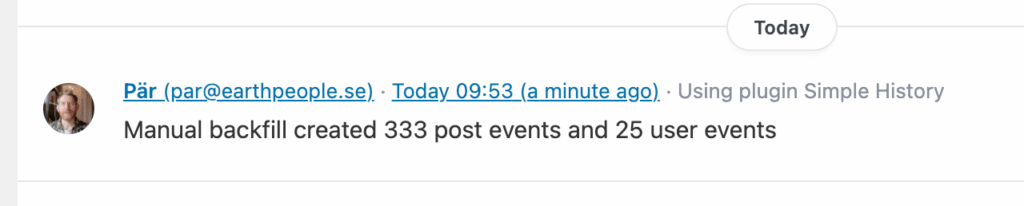
The result of the backfill is of course shown in the log:
There is also quite a few settings, so you can select what post types to backfill and how far back.
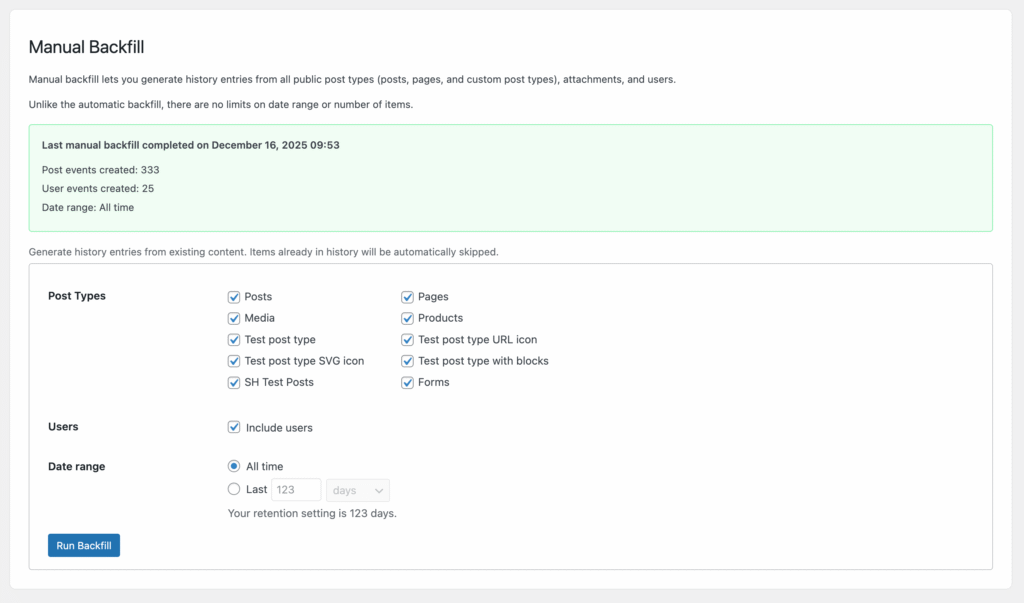
Psst. when importing that old items be sure to keep your log retention very high using the Premium custom log retention period setting or the events will be removed again when old events are cleared (by default every 60 days).
Changelog for 1.7.0
- Add Manual Backfill feature to generate history from existing content. With this feature you can import years of content – even content that was created before Simple History was installed! You can find the new backfill feature under Simple History » Tools.
- Require Simple History 5.19.0.