
Simple History 5.23.0 brings better visibility into WordPress security updates, more granular failed login tracking, Notes statistics, and a batch of performance improvements that make the plugin faster on large sites.
Detection of forced plugin updates
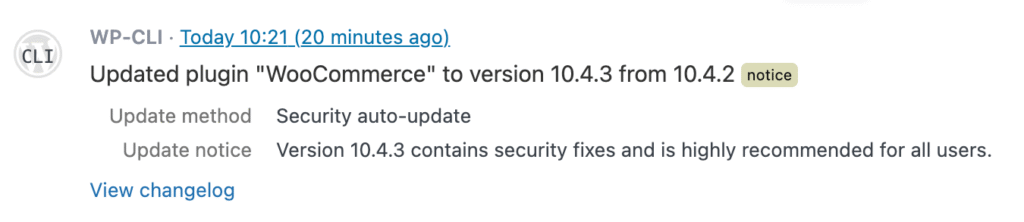
WordPress sometimes pushes forced security updates for plugins — patches so critical they’re applied automatically, whether you opted in or not. Until now, these looked the same as regular auto-updates in your activity log.
5.23.0 changes that. When a forced security update happens, your log now shows it as “Security auto-update” with the update method clearly labeled. The log level is also elevated from “info” to “notice” so these events stand out when you’re scanning your log.
It took a while for use to research and implement this. We did publish a blog post of our research and findings here: How WordPress force plugin updates work (and how they are logged in this plugin).
Smarter Failed Login Filters
The “Failed user logins” filter has always been useful for spotting brute-force attempts. But not all failed logins are the same — someone mistyping their password is very different from someone trying usernames that don’t exist. That’s why we have added two more filters:
- Failed login (wrong password) — a real user who mistyped their password
- Failed login (unknown user) — someone trying a username that doesn’t exist on your site
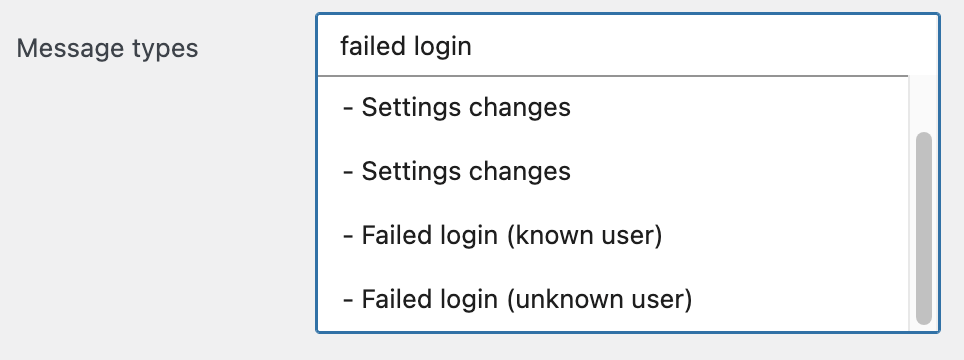
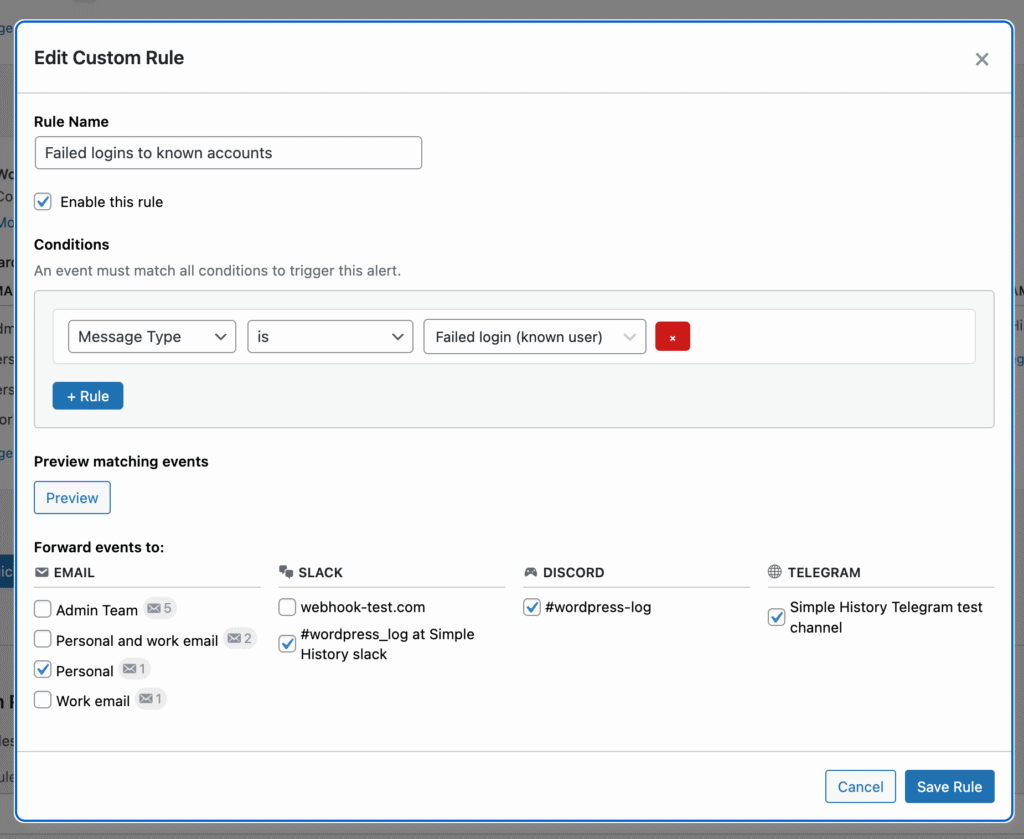
These filters come especially handy when using alert rules in Premium — you might want notifications for unknown usernames but not for every typo.
Notes Statistics
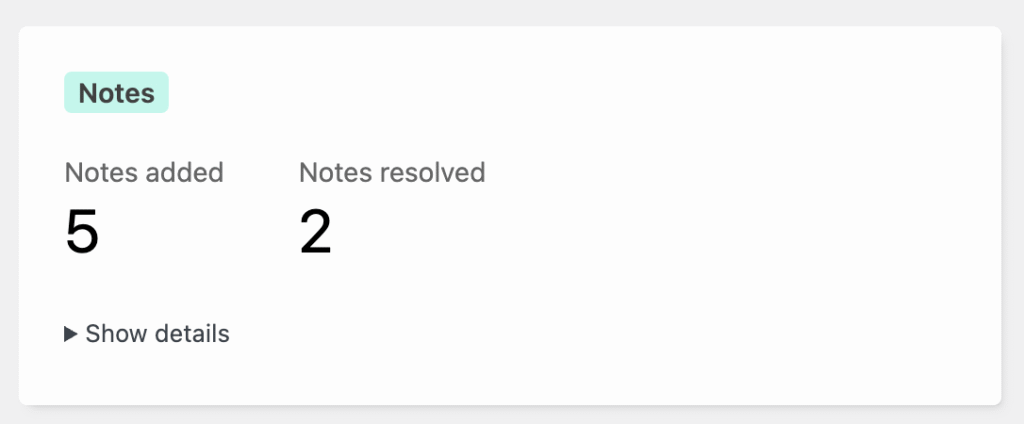
WordPress 6.9 introduced Notes — a collaboration feature that lets editors leave feedback on posts without modifying the content. Simple History 5.19.0 added logging for Notes. Now in 5.23.0, your Notes activity shows up in two more places:
- Weekly email reports — see how many notes were added and resolved each week
- History Insights — notes activity appears in the block editor sidebar stats
There’s also a new REST API endpoint at /wp-json/simple-history/v1/stats/notes for developers who want to build on this data.
Performance Improvements
Several under-the-hood changes make the plugin faster to use, especially noticeable on sites with large activity logs:
- Faster sidebar stats — database queries for the insights sidebar and event purge now use date indexes, which makes a real difference on tables with millions of rows.
- Faster RSS feed — The feed som defaults to only getting the latest 7 days and skips an unnecessary count query. RSS feeds are usually often updated by reader clients, so usually no need to get older content. The date range can be controlled with the new
datesparameter, e.g.&dates=lastdays:30. If you need more control when getting events you should use the Activity REST API endpoints.
Help & Support Improvements
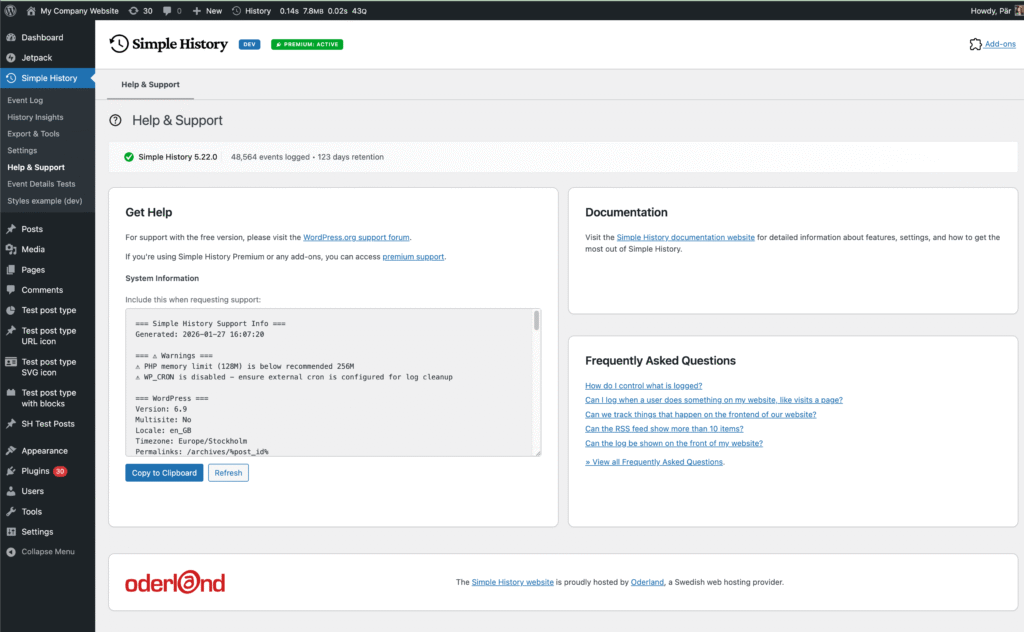
The Debug tab has been merged into Help & Support and now features a simple “Copy to Clipboard” button that you can use if you need support and need to send all the juicy system details we want when debugging issues :).
Alerts: Coming Soon
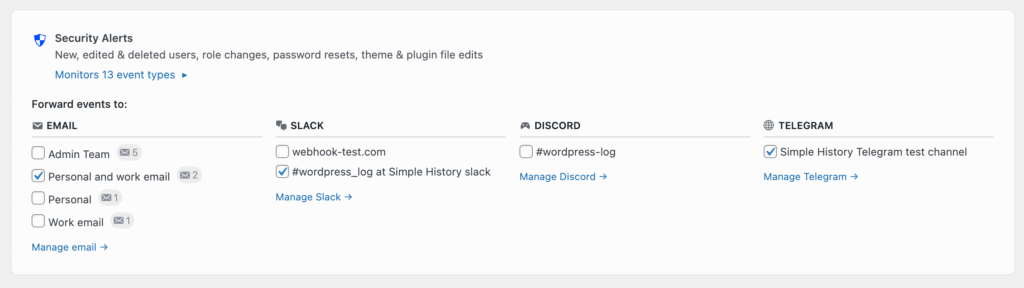
This release includes a new Alerts settings page where you can preview this new feature that is included in Simple History Premium 1.9.0.
The Alerts feature will bring real-time notifications to Email, Slack, Discord, and Telegram.
Get the Update
Simple History 5.23.0 is available now. Update from your WordPress dashboard or download it from WordPress.org.
Full Changelog
Added
- Detection of forced security updates from WordPress.org; shown as “Update method: Security auto-update” in plugin update details.
- Upgrade notices from WordPress.org API in plugin update details.
- Search labels on 11 loggers (Beaver Builder, Duplicate Post, Enable Media Replace, Jetpack, Limit Login Attempts, Redirection, User Switching, WP Crontrol, Privacy, Simple History, Translations) for better filtering in alert rules.
- Granular failed-login filters: “Failed login (wrong password)” for known users and “Failed login (unknown user)” for non-existent usernames, alongside the existing “Failed user logins” option.
- User role (
_user_role) in event context for debugging and alert rule filtering. - Notes feature stats (WordPress 6.9+): statistics in weekly email reports, History Insights sidebar, and REST API at
/wp-json/simple-history/v1/stats/notes. - Alerts settings page with premium notification teasers.
Changed
- Updated logger messages to use active voice.
- Debug tab merged into Help & Support; System Information sits directly under support links.
- Status bar on Help & Support showing plugin version, event count, and retention at a glance.
- System Information extended with PHP Max Input Vars, WP Memory Limit, Child Theme, Theme Author, and User Agent.
- Log level for forced security plugin updates changed from “info” to “notice”.
- Disabled autoload for Available Updates Logger options.
- Sub-navigation tabs scroll horizontally on narrow screens instead of wrapping.
- Plugin loading no longer scans the filesystem at startup; loggers registered via static class lists.
- Sidebar stats and database purge queries rewritten to use the date index.
- Log_Query now has a
skip_count_queryoption. - RSS feed defaults to last 7 days and skips the count query. New
datesparameter for date filtering.
Fixed
- Infinite loop when the Debug & Monitor add-on logged HTTP requests from channels (Webhook, Datadog, Splunk).