
Your activity log is now part of WordPress’s personal-data export — so when someone asks for their data, the answer is finally complete. Plus a batch of navigation shortcuts and a few small fixes.
When someone asks for their data, the log is finally part of the answer
If you’ve ever handled a GDPR data request — or fielded one for a client — you know the routine: someone asks for their data, and WordPress gathers it from core and every plugin that takes part (Tools → Export Personal Data). The one tool on your site that records what a person actually did was the thing missing from their export.
That’s fixed now. When you process a request, the events that person performed are included automatically.
To be clear, this won’t make a site GDPR-compliant on its own — that’s a much bigger job. But if you run sites for clients, or answer to a privacy team, it closes a gap that used to make a data request awkward to answer in full.

In this version there is also a new Privacy & Data tab under Settings → Simple History. It’s a plain-language explanation of how the plugin works with WordPress’s export and erasure tools — the kind of thing that’s handy to point a client or a DPO at when they ask how you handle this.
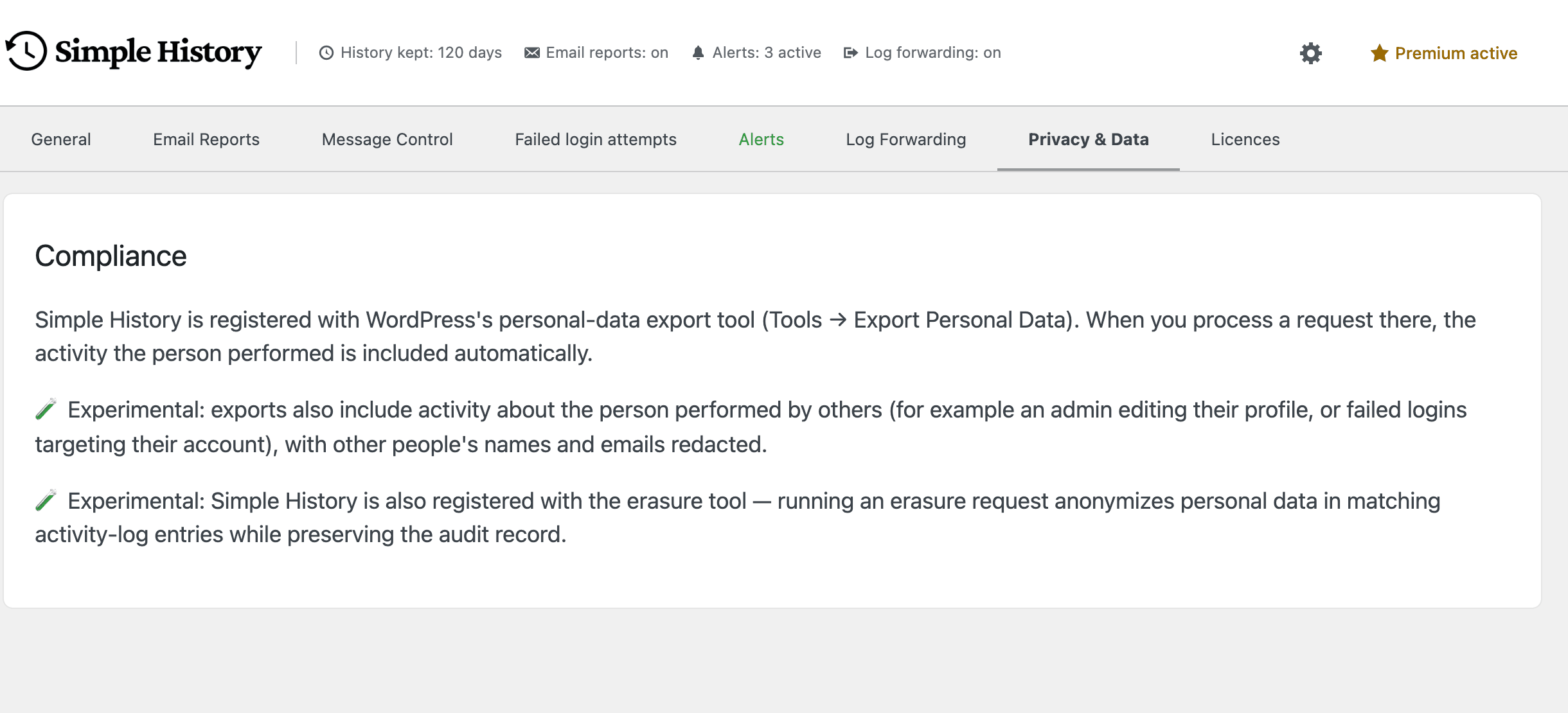
Two experimental bits I’d love your feedback on
If you turn on 🧪 experimental features, two more things kick in:
- Exports can also include activity about a person done by others — an admin editing their profile, failed logins aimed at their account — with everyone else’s names and emails redacted.
- Running an erasure can anonymize that person’s details in the log while keeping the entries themselves, so you’re not left with holes in your history.
They are both off by default so we can test them on a few more sites. If you try them, tell us how it goes — that feedback is the whole reason they’re still marked experimental.
Getting from an event to where it happened, faster
This is a small thing I keep being glad about. Events now carry links that take you straight to the relevant screen. A user event has “All users”, a post event “All posts”, a plugin event “All plugins”, and so on — one click instead of hunting through wp-admin. They show up on delete events too, where the usual “edit this item” link would just dead-end.
Core updates and privacy requests get context links as well: a major WordPress update links to its About page and the release notes, and an export or erasure request links straight to the matching Tools screen.

Upgrading
Update from your dashboard like always — there’s nothing else to do. If something looks off, open an issue on GitHub; I read them. And if Simple History saves you time, a five-star review honestly helps more than you’d think.
Full changelog
Added
- Overview action links on user, plugin, post, and media events — “All users”, “All plugins”, “All posts” / “All pages” / “All custom post types”, “All media”. Also shown on delete events where the per-item link would dead-end. The “All users” link shows only on user-management events, not on login, logout, failed-login, or session-destroy events.
- “About this version” and “WordPress release notes” action links on core update events for major-version bumps.
- Action links on privacy events: data export and erasure requests link to the matching WordPress tool page, and privacy page changes link to the page editor and Settings → Privacy.
- Simple History’s activity log is now included in WordPress’s personal-data export (Tools → Export Personal Data): the events a person performed are exported automatically.
- New “Privacy & Data” settings tab describing how Simple History works with WordPress’s personal-data export and erasure tools.
- 🧪 Experimental — Exports also include activity about a person performed by others, with other people’s names and emails redacted from those “about you” entries.
- 🧪 Experimental — Running a WordPress personal-data erasure now anonymizes the person’s data in matching activity-log entries — IP address, user agent, login, email, and role — while keeping each entry as an audit record.
Changed
- Action link labels dropped the “View” prefix: “View plugin info” → “Plugin info”, “View Site Health” → “Site Health”, “View changelog” → “Changelog”.
- External action links now show an “open in new tab” icon and open in a new tab.
- Dashboard widget action links are now more compact, so the event message stays the visual anchor on that smaller surface. The main History page is unchanged.
- The license reminder for missing add-on license keys moved from a full-width banner to a dismissible card in the History Insights sidebar. A new
simple_history/license_reminder/should_showfilter lets managed installs suppress it site-wide. - 🧪 Experimental — Role and capability events no longer dump the full list of capability slugs into the event headline. The full list is still available in the event details panel.
Fixed
- Alt-text changes to media made via direct meta updates are now logged. Previously only changes made through wp-admin or the REST API were captured.
- Removed custom fields on post updates are now counted in the event details instead of being silently dropped.
- The UTC publish date no longer appears as a duplicate row in post update details.