
We are happy to be able to introduce Alerts in Simple History.
Alerts are real-time notifications that tell you when something important happens on your WordPress site, delivered straight to Email, Slack, Discord, or Telegram.
Alerts: Know What Happened Before It Becomes a Problem
With alerts there is no need to constantly check the log on your websites for important events. Instead set up some rules of your choice and be alerted directly when something happens.
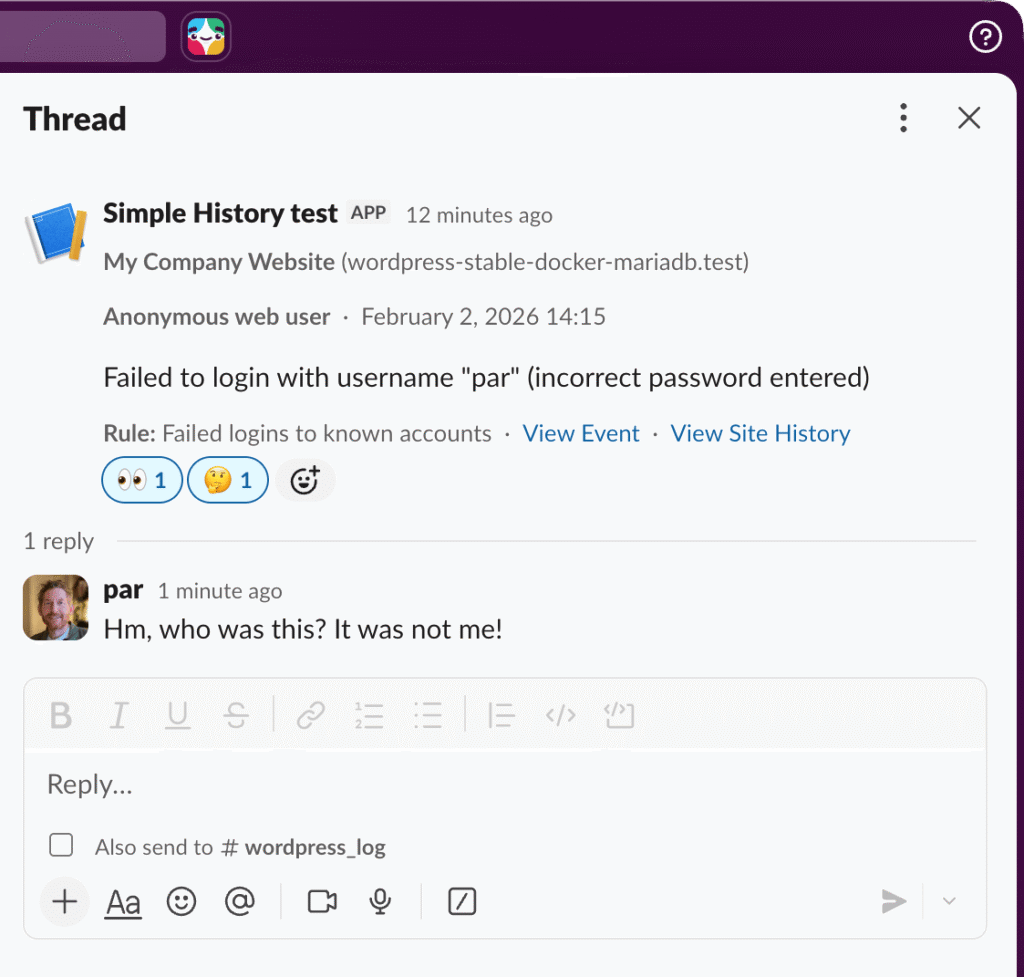
Check this example where we get a notification in a Slack channel every time a known user fails to login:
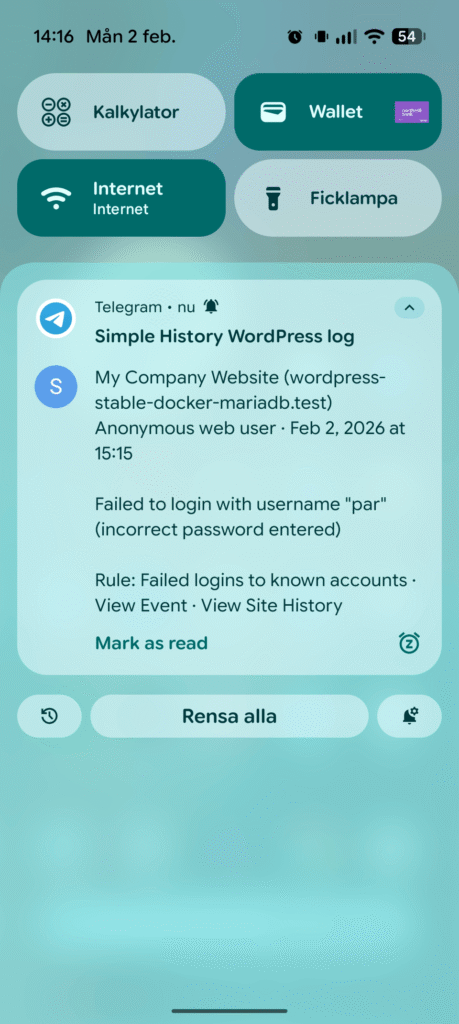
Here is the same event, but this time it’s posted to Telegram, so I will get a push notice on my mobile every time someone tried to login to my user account!
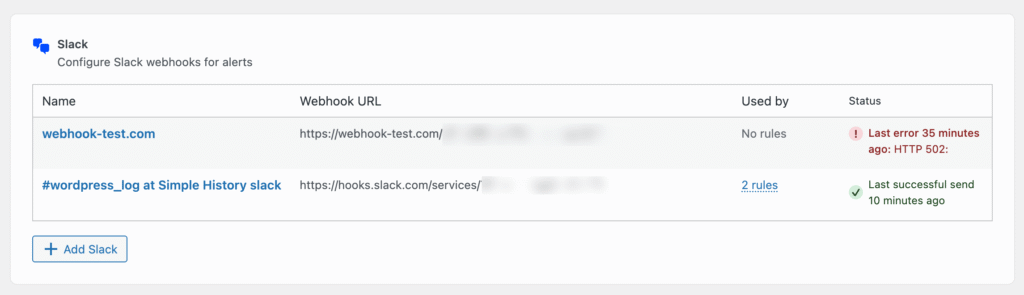
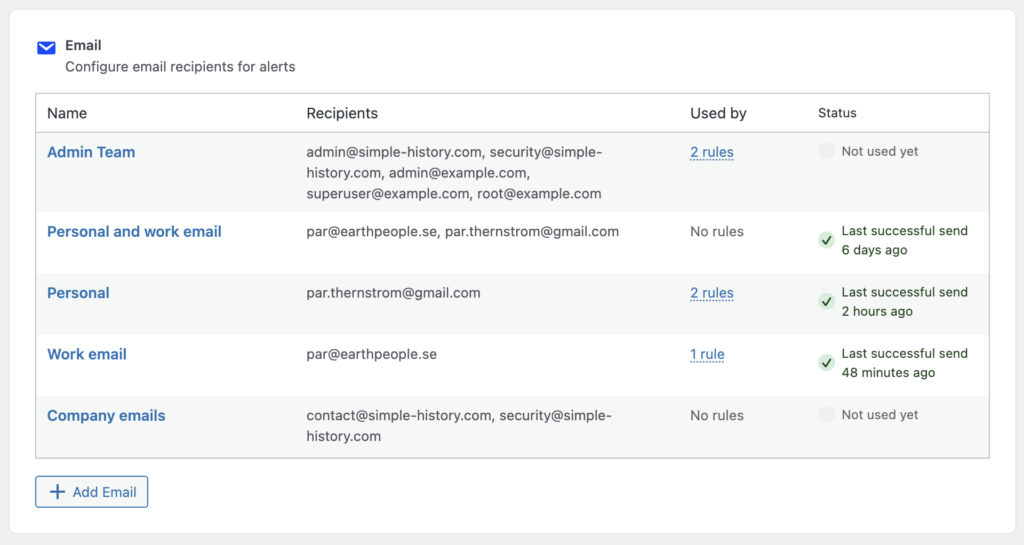
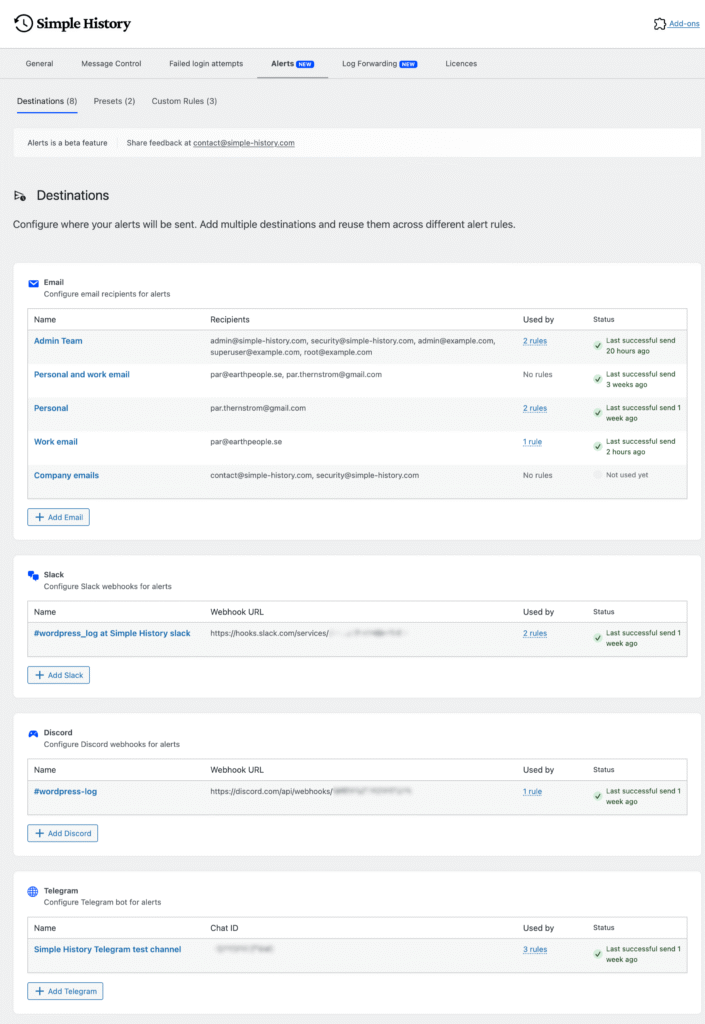
Reusable destinations
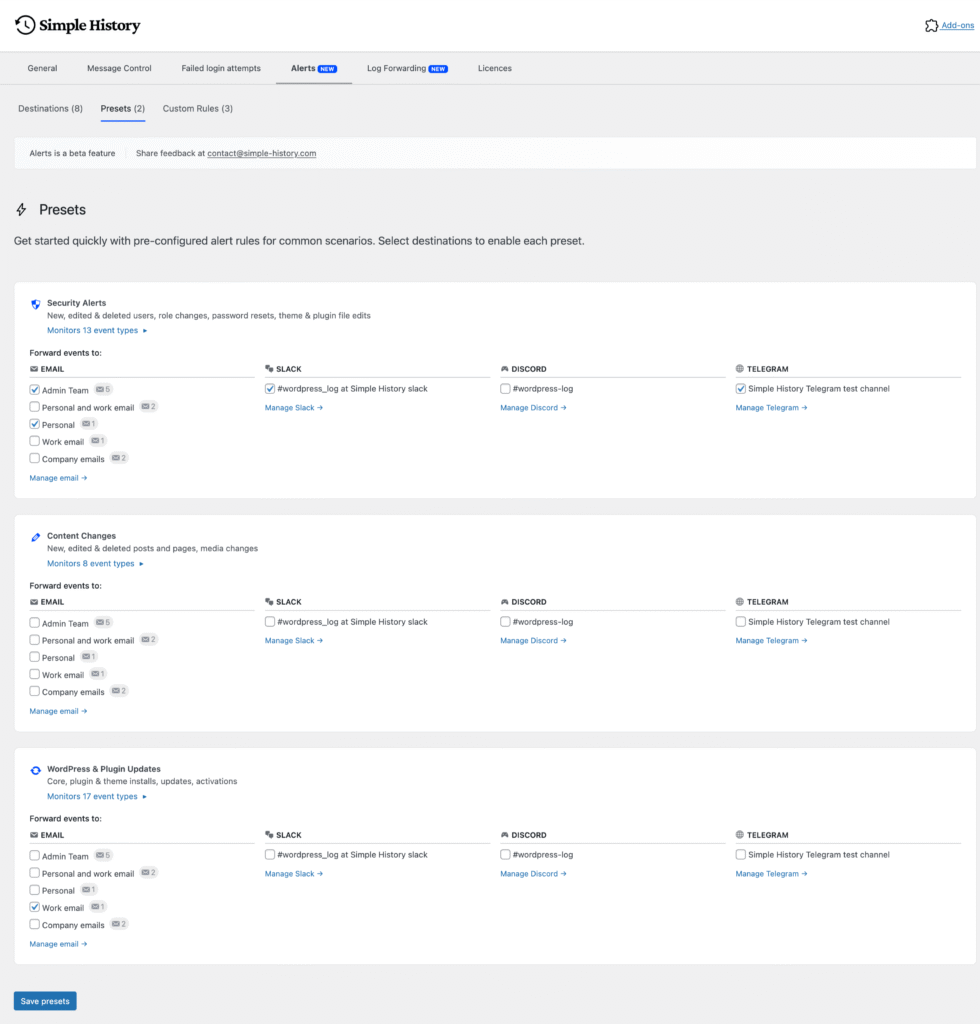
Preset Rules — One-Click Setup
Custom Alert Rules are powerful but users may find them a bit too complicated. That’s why we have presets: pre-configured alert rules for common scenarios:
- Security — failed logins, user lockouts, and role changes
- Content — posts deleted, pages unpublished, media removed
- Plugins — plugin activations, deactivations, and updates
Select a preset, pick your destination, and you’re done.
Custom Alert Rules
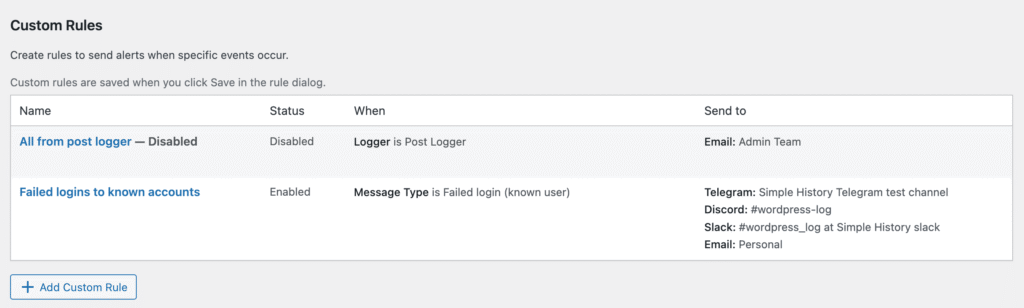
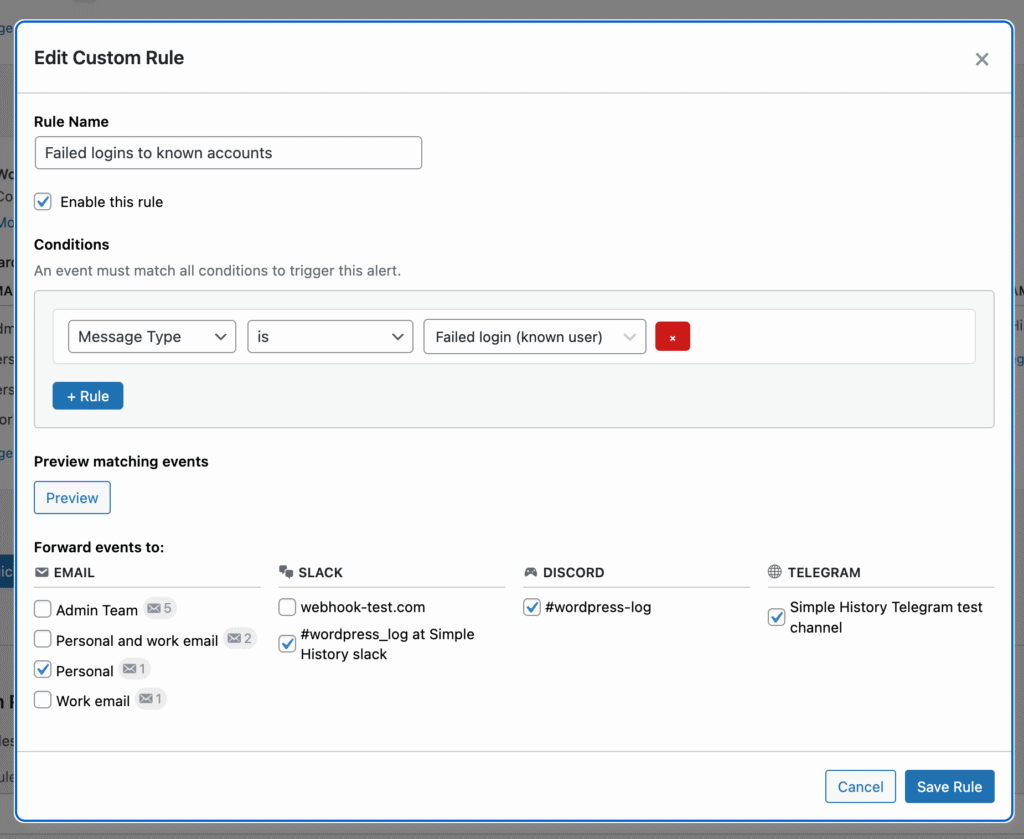
For more specific needs, the visual query builder lets you combine filters to create precise rules.
Here is an example of the overview table for custom rules. You can see that I have two different rules setup that send events to different destinations.
Rules you can choose from:
- Logger — which type of events to watch (posts, users, plugins, media, etc.)
- Message type — specific actions within that logger (e.g. “Deleted” vs. “Updated”)
- User role — trigger only for certain roles (alert when an Editor deletes a post, but not when an Admin does)
- Log level — filter by severity (warning, notice, error)
Four Notification Destinations
Send alerts where your team already works:
- Email — simple, reliable, works everywhere
- Slack — post to any channel or DM via webhook
- Discord — send to a Discord channel via webhook
- Telegram — deliver to a Telegram chat via bot
You can send the same alert to multiple destinations, or route different alert rules to different channels. Security alerts to the #security Slack channel, content alerts via email to the editorial team — you set it up however makes sense for your workflow.
Alerts come with WP-CLI commands and a REST API
Alerts are manageable from the command line and via the API:
# List configured destinations
wp simple-history alerts destinations

# List alert rules
wp simple-history alerts rules

# Send a test alert
wp simple-history alerts testCode language: PHP (php)
The REST API at /wp-json/simple-history/v1/alerts/ supports creating, reading, updating, and deleting both rules and destinations programmatically.
Log Forwarding: New Channels and security settings
Building on the log forwarding introduced in 1.8.0, this release adds:
- Datadog channel — send events directly to the Datadog Logs API. All Datadog regions are supported.
- Webhook channel — forward events to any HTTP endpoint with customizable JSON payloads. Connect to Zapier, Make, n8n, or your own internal services.
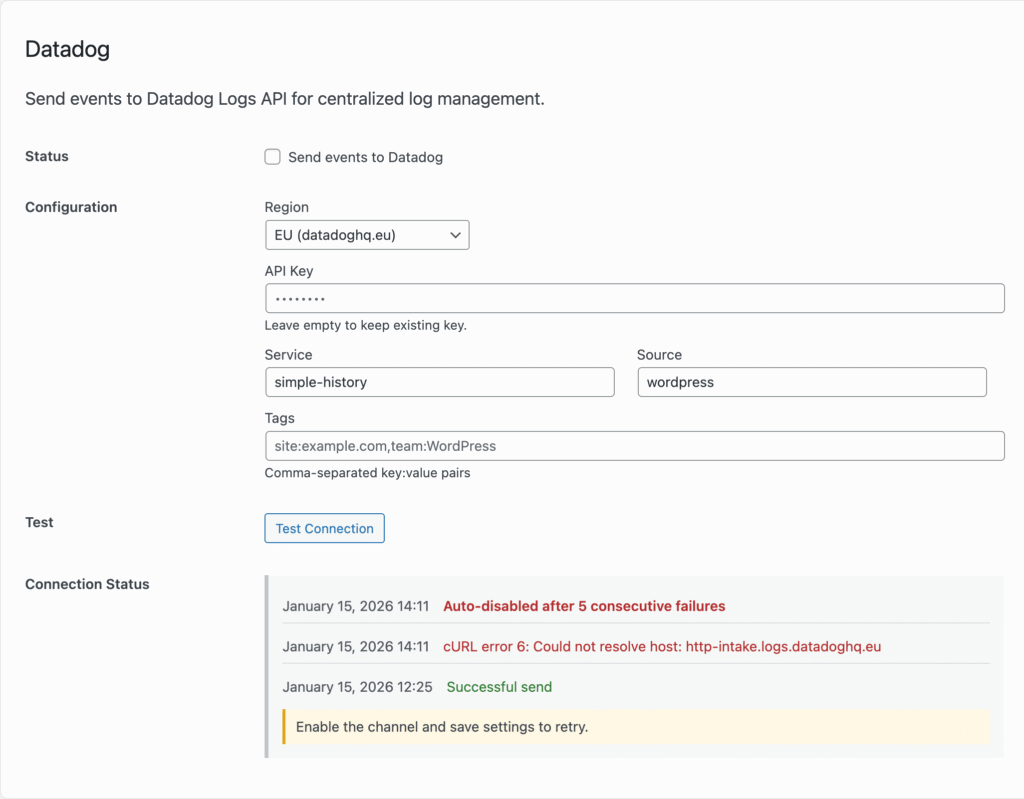
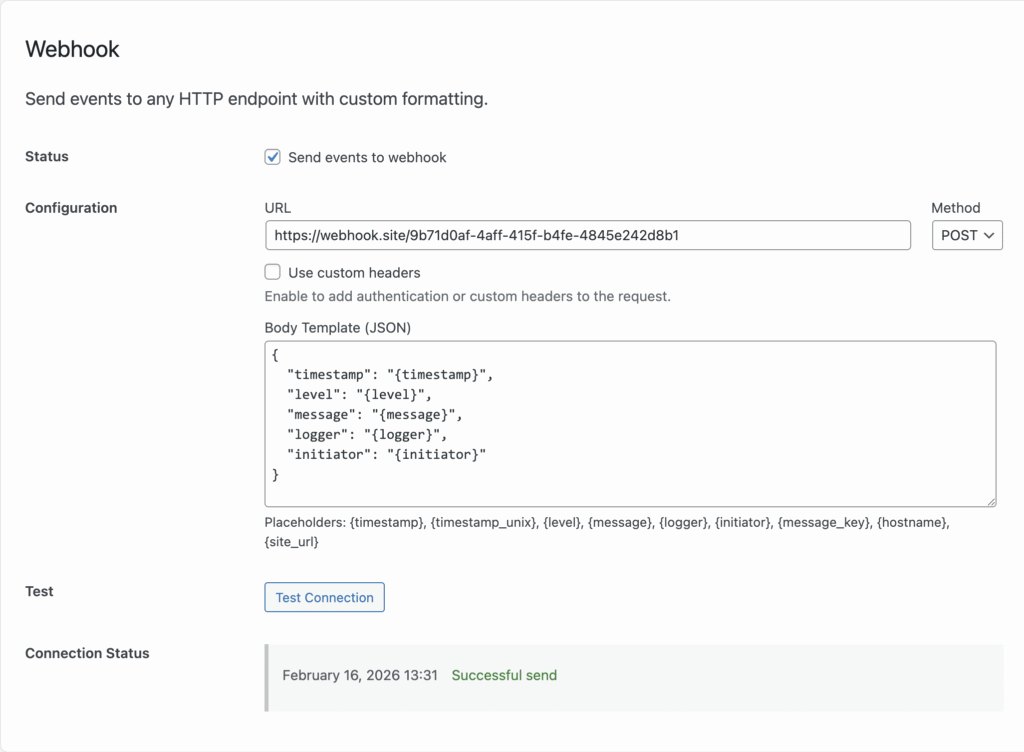
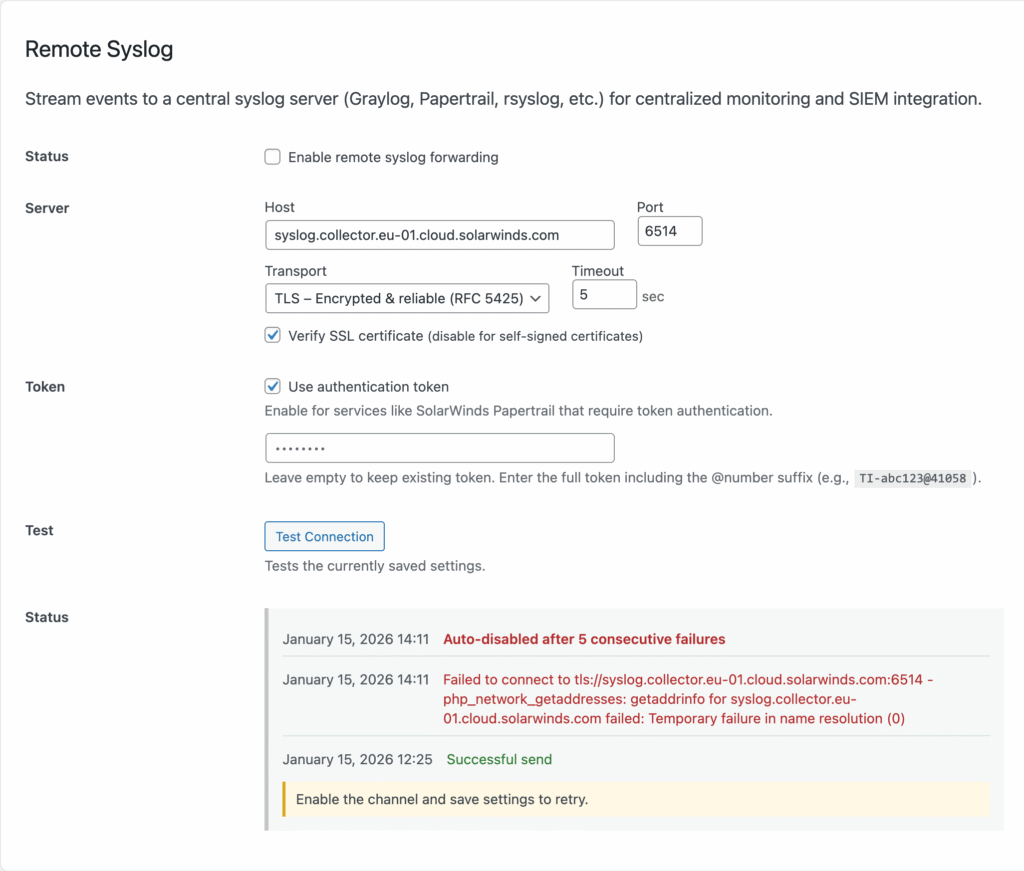
The Syslog channel has also been split into Local Syslog and Remote Syslog for clearer configuration. And the remote syslog now has settings for TLS encryption, token authentication, and option to disable SSL verification (for example when using self-signed certificates). All changes that hopefully make this feature compatible with more syslog servers and tools.
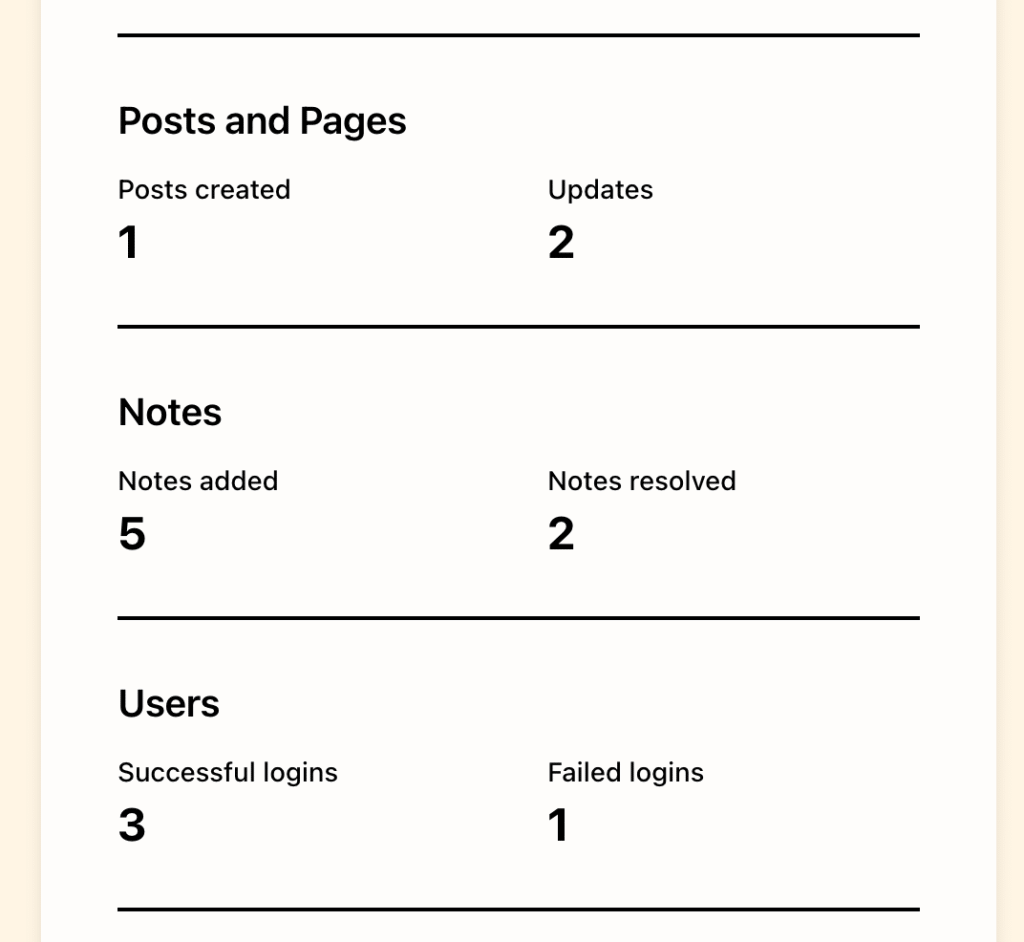
Notes count now visible in more places
History Insights and Weekly Summary Email now has dedicated sections for Notes, so you can quickly see if notes have been added or resolved.
Beta Release
The Alerts feature is released as a beta. The foundation is solid, but we want to hear how it works in the real world before calling it done.
Questions we’d love your input on:
- Which presets would be most useful for your setup?
- What notification destinations are missing? (Microsoft Teams? PagerDuty?)
- How are the alerts performing on your site?
- Any edge cases where rules don’t trigger as expected?
Please send feedback to contact@simple-history.com. We read every email and value your input!
Who Is This For?
Site owners who want to know immediately when something goes wrong — not hours later.
Agencies managing client sites who need to monitor multiple WordPress installations without constantly checking dashboards.
Security-conscious teams who want instant alerts on failed logins, role changes, and suspicious activity.
Editorial teams who need to know when content is published, deleted, or modified by other team members.
DevOps engineers integrating WordPress monitoring into existing alerting pipelines via webhooks or Datadog.
Full Changelog
Added
- Alerts feature (Beta) for real-time notifications when important events occur. Configure rules via presets (security, content, plugins) or the visual query builder; send to Email, Slack, Discord, or Telegram.
- Preset-based alert rules builder with logger, message type, user role, and log level filters.
- Custom alert rules builder with logger, message type, user role, and log level filters.
- WP-CLI commands for alerts:
wp simple-history alerts destinations,wp simple-history alerts rules,wp simple-history alerts test. - REST API for alerts at
/wp-json/simple-history/v1/alerts/. - Log forwarding: TLS encryption for Remote Syslog, token authentication for Remote Syslog, Datadog channel, Webhook channel, SSL verification toggle, secure credential encryption.
- Notes statistics in History Insights: counts for notes added and resolved (WordPress 6.9+).
- Date picker for backdated events.
Changed
- Minimum WordPress version lowered from 6.7 to 6.3 to match the core plugin.
- Syslog split into Local Syslog and Remote Syslog channels.
- JSON Lines formatter: ISO 8601 timestamps and simplified field names.
Fixed
- Unnecessary database queries in Failed Login Attempts module when counter is already zero.
- Slow appearance of “Stick event to top” in the event actions dropdown.
- JSON feed performance: default to last 7 days and skip unnecessary count queries.