
No more checking each site manually – your weekly WordPress activity summary comes straight to your inbox.
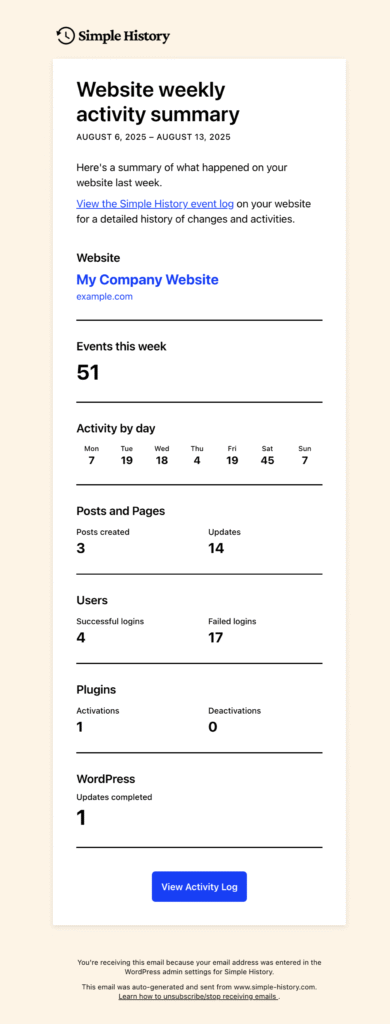
What You Get Every Monday Morning
✅ Quick site health overview – see what’s been happening without logging in
✅ Clean, scannable format – all the important stuff, none of the noise
✅ Perfect for agencies – monitor multiple client sites effortlessly
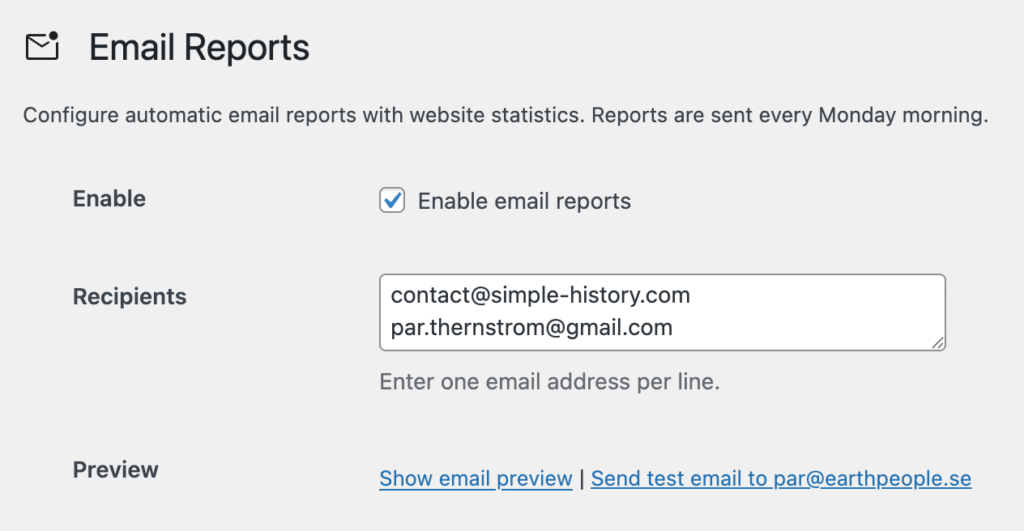
✅ Customizable recipient list – share reports with your team or clients
Why You’ll Love This
Managing multiple WordPress sites? Instead of logging into each one to check for issues, you’ll get a comprehensive weekly summary delivered right to your email. It’s like having a digital assistant that never sleeps.
Getting Started Takes 30 Seconds
- Go to Simple History → Settings → Email Reports
- Check the “Enable weekly email reports” box
- Add your email address(es)
- Hit save
Want to see what it looks like first? Use the “Preview email” button to see a live sample with your actual site data.