
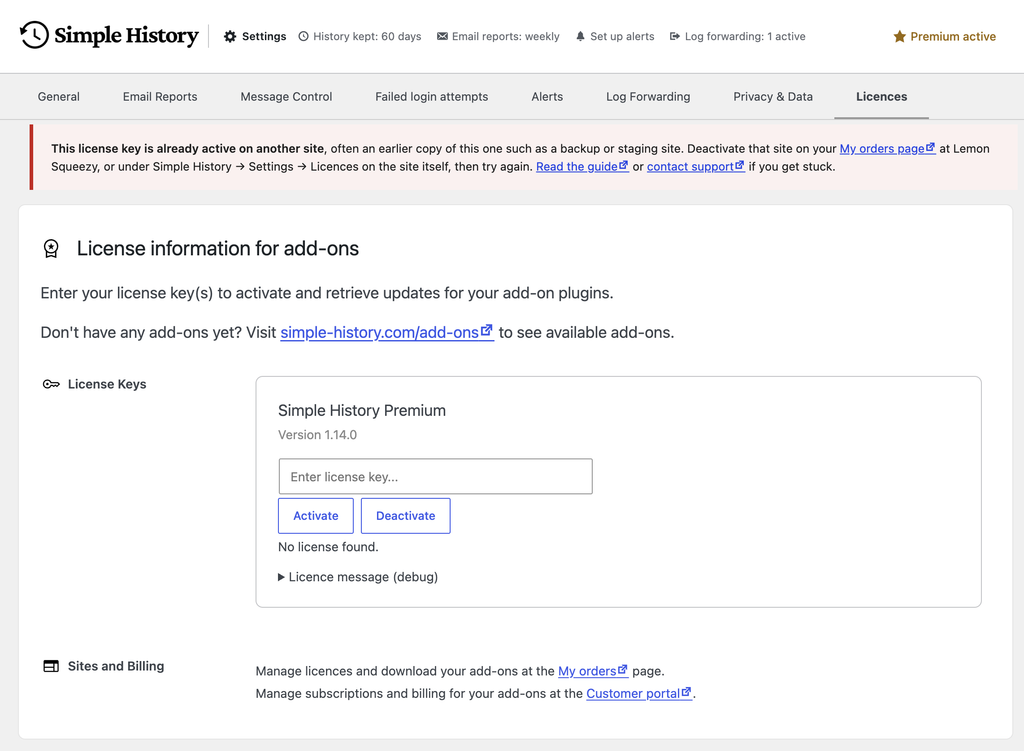
The message “This license key has reached the activation limit” means your Simple History Premium license key is already active on another site. Each license covers a set number of sites, and every activation uses one of them until you deactivate it.
Why this happens
The “other site” is almost always an earlier copy of the same site. The activation stays with that copy even if it no longer exists. Common causes:
- You restored a backup taken before the license was activated.
- You moved the site to a new host or domain.
- You activated the key on a staging or local copy first, then on the live site. Those copies don’t need a key at all — see multisite, staging and development sites.
- You reinstalled WordPress or the plugin without deactivating the license first.
Fix it yourself
Deactivate the old activation
- Go to app.lemonsqueezy.com/my-orders and enter the email address you used when buying. You will get a login link by email, no password needed.
- Open your Simple History Premium order and find the license key.
- Deactivate the site that should no longer use the license.
- Back in WordPress, go to Simple History » Settings » Licences and click Activate again.
Or deactivate from the other site — but not if it is a copy
Don’t press Deactivate on a copy of your site. If the other install is a clone — a restored backup, or a staging or local copy — its database carries the same activation record as production, so pressing Deactivate there releases production’s activation instead of the copy’s. Free the activation from My Orders instead, as above. There is more on this, and on how to stop a clone checking for updates, on multisite, staging and development sites.
If the other site is a genuinely separate install that still exists and you can log in to it, go to Simple History » Settings » Licences there and click Deactivate. Then activate the key on the site where you want it.
Still stuck?
Contact us with your order number and license key, or if you cannot get into the account you bought with. The order number is in your receipt email and on your My Orders page. We will free up the activation for you.