
Ready for WordPress 7.0 — with logging for the new AI Connectors Screen, plus WP-CLI, REST API, and AI agent actions in the activity log.
WP-CLI and REST API changes now show up in the log
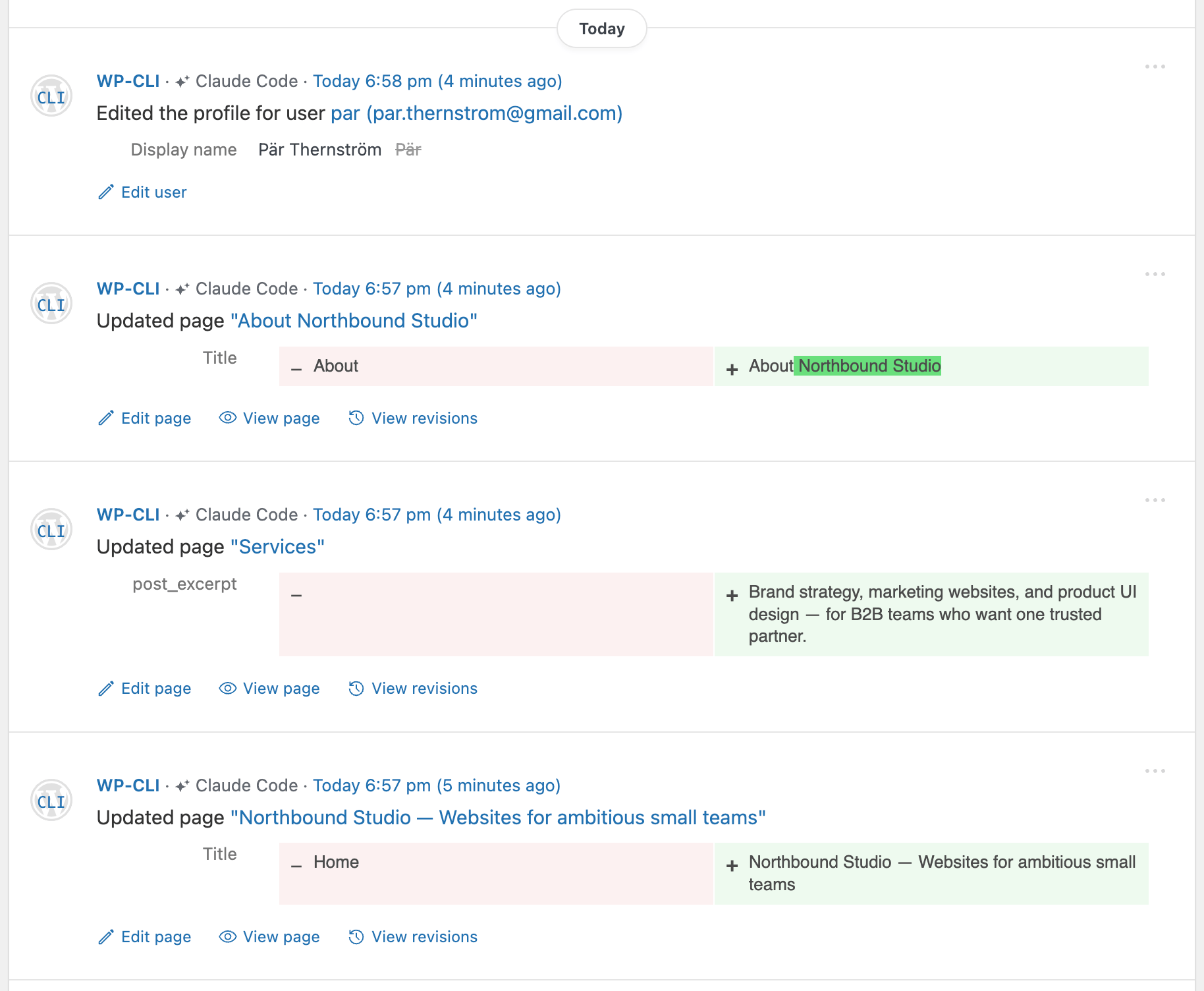
This one has bothered us for a while. Several of Simple History’s loggers were tightly coupled to wp-admin, so wp post update, wp user update, REST-driven edits from external clients, or anything an AI agent did on your behalf would change your site without leaving a trace.
5.28.0 covers all of them: posts, users, media, menus, widgets, privacy pages, and built-in settings (site title, tagline, default category, permalinks, and so on) are now recorded whether the change came from wp-admin, WP-CLI, or the REST API. It also works with the AI agent attribution from 5.27.0 — you’ll see which agent made the change, not just that something changed.
A new logger for the AI Connectors Screen
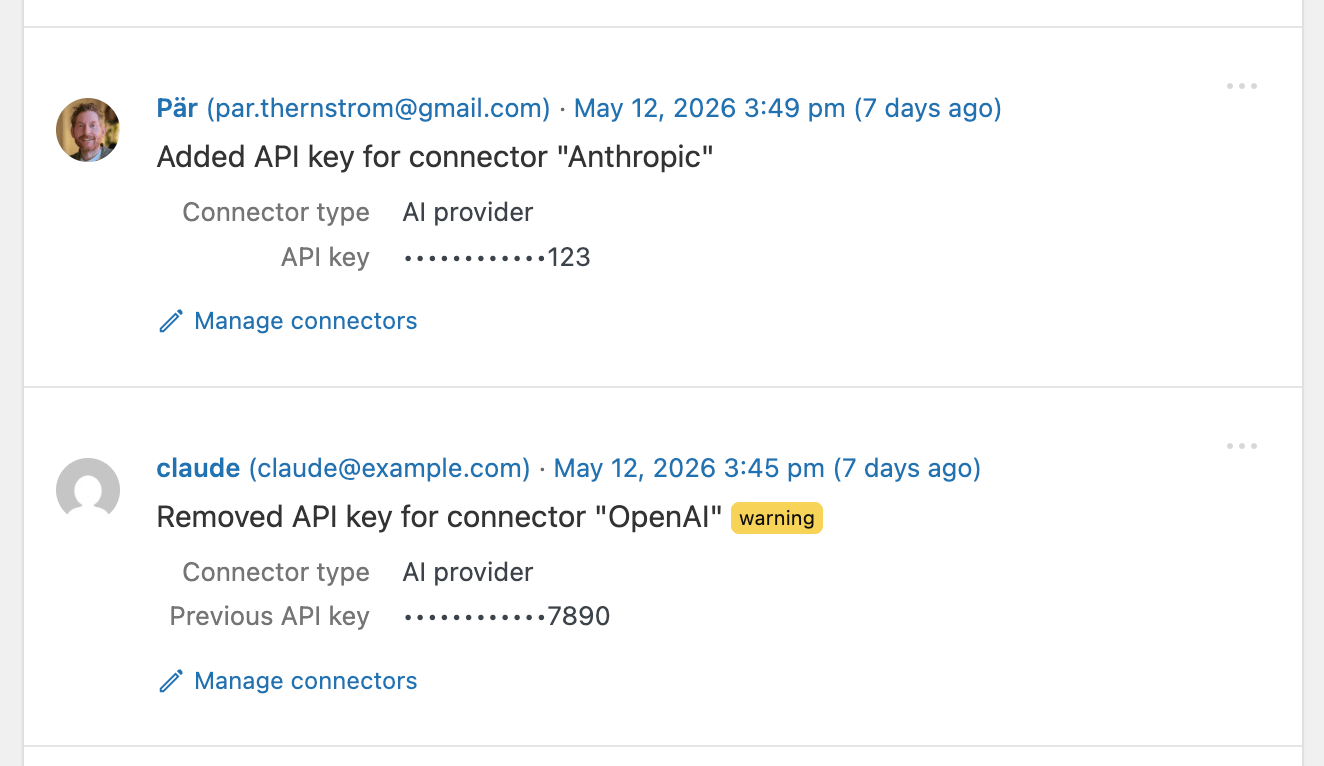
WordPress 7.0 introduces a Connectors API and a central AI Connectors Screen for storing API keys (AI providers, anti-spam services, etc.). Those keys are sensitive, so we audit them: when a key is added, changed, or removed, Simple History records who did it and which connector it was for.
Other highlights
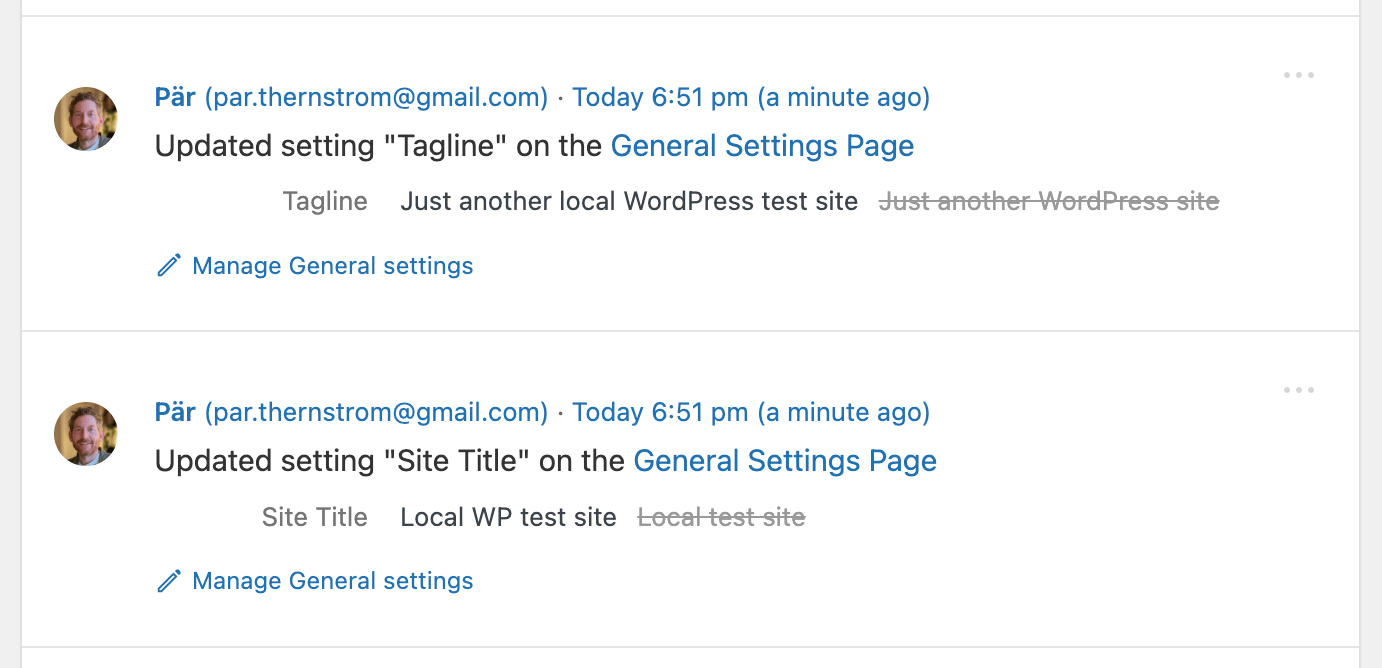
- Settings and post-update events now render as inline diffs (
Site Title: new → old) instead of two stacked rows. - Post update events now include more detail when you use “Copy as JSON” or “Copy as Markdown”.
The complete list is in the changelog below.
Upgrading
5.28.0 is available now via your WordPress dashboard or from the plugin directory. No manual migration steps. Spot something off? Open an issue. Like what you see? A five-star review genuinely helps.
Full changelog
Added
- WordPress 7.0 AI Connectors screen changes are now logged.
- Built-in WordPress settings changed via the REST API (
POST /wp/v2/settings) or WP-CLI (wp option update) are now logged. Previously the Options Logger only captured changes made through Settings → General/Writing/Reading/Discussion/Media/Permalinks, so automation, scripts, and AI agents could change the site tagline, title, default category, permalinks, and similar settings invisibly. - Post, user, media, menu, widget, and privacy page changes made via WP-CLI or the REST API are now logged. Previously these loggers only captured changes from inside wp-admin, so commands like
wp post create,wp post update,wp user update,wp menu item add, and REST-driven edits from external tools or AI agents were not recorded. - Post update events now expose status, publish date, comment status, author, and page template as structured data in the REST API, “Copy as JSON”, and “Copy as Markdown” outputs — previously these fields were only available as prerendered HTML, so external clients had to parse the markup.
- Action link on Options Logger events for quick navigation back to the Settings page where the option lives.
- “How are AI agents detected?” link in the AI agent attribution tooltip, pointing to a docs article that explains the detection signals.
- System Information page,
wp simple-history db stats, and the/wp-json/simple-history/v1/support-infoREST endpoint now report the charset and collation of each Simple History table — useful when diagnosing emoji-related context-drop issues. - Reminder card on Simple History pages when an add-on is installed without a license key entered, so users notice that updates won’t arrive until the key is added. Links directly to the license entry field.
Changed
wp simple-history infonow shows “Experimental features: enabled” when experimental features are active.- Options Logger event details show the change inline as a single row (new value → strike-through old value) labeled with the setting name (e.g. “Site Title”, “Tagline”), instead of stacked “New value” / “Old value” rows.
- Admin display for post update status, publish date, comment status, author, and page template switches from a stacked table row (“Changed from draft to publish”) to an inline pill style (“Status: draft → publish”), matching how user profile changes already render. Title, content, custom field, term, and featured-image diffs still render in the existing table layout.
Fixed
- “Copy as JSON” and “Copy as Markdown” now include the full event context (request URI, method, user agent, error codes, etc.), making copied payloads self-contained for triage and bug reports.
- IP addresses are now included in failed application password authentication events, matching how wp-login failures already worked.
- New installs create history tables as
utf8mb4(using$wpdb->get_charset_collate()), so emoji and other 4-byte UTF-8 characters in events are preserved. - Support info page no longer prints a “no such table: dbstat” database error when
WP_DEBUGis on and SQLite’s optionaldbstatvirtual table isn’t available (notably on WordPress Playground). - “Most active users” widget no longer shows nameless entries for users without a display name.
- Redirect loops in wp-admin for low-privilege users. A legacy-URL redirect intended only for the old
/wp-admin/index.php?page=simple_history_pagebookmark was also firing for unrelated access-denied events on the dashboard, which could send users in circles. #639 - 🧪 Experimental — Brute-force attempts against
xmlrpc.phpnow show which account is being targeted instead of logging an empty username.