
Simple History 5.27.0 makes it visible when an action on your site was triggered through an AI tool, moves frequently used links into a dedicated action bar on every event row, and adds a “Copy as JSON” option for scripting and debugging. Two new experimental features come along for the ride: a “History” column on posts and pages, and logging of failed application password authentication. The release also closes a few security gaps, including a fix in the experimental reactions feature reported by Wordfence.
AI agent attribution
AI agents — Claude Code, ChatGPT, MCP clients, and the AI Client coming in WordPress 7.0 — increasingly act on your site through the REST and Abilities APIs. They sign in as a real user, but it’s worth knowing the action came from a tool, not a human clicking around in wp-admin. That’s what AI agent attribution is for. (We’ve also written about using the Simple History REST API with LLMs and AI agents.)
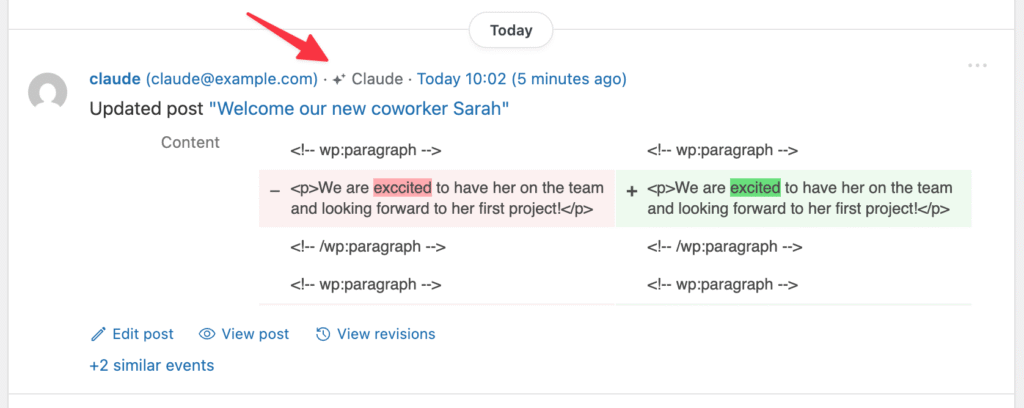
Starting in 5.27.0, when Simple History detects that an event was initiated by an AI tool, a small sparkle icon ✨ and the agent name show up next to the user on the event row. The signed-in user is still the actual initiator — this is additional audit context, not an authentication signal.
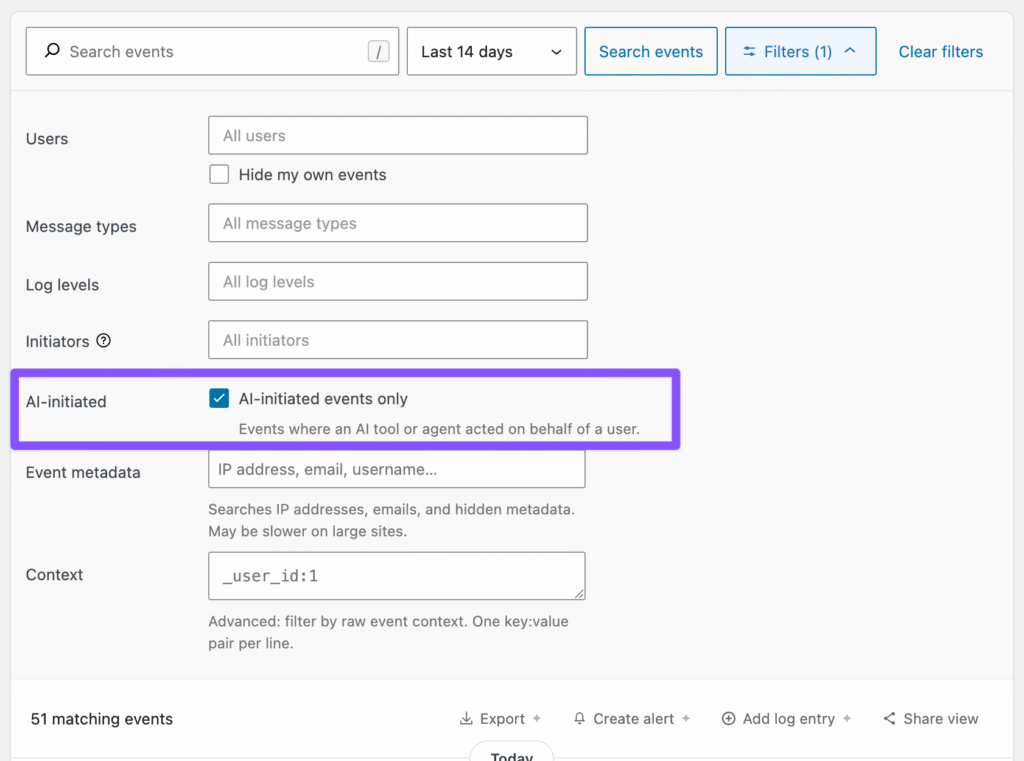
There’s a new AI-initiated events only filter in the expanded filters panel, so you can quickly narrow the log to actions triggered through AI tools.
The wp simple-history list command also gets a new opt-in ai_agent column, so you can show your latest events and see whether each was done by a human or an AI. Example:
wp simple-history list --fields=date,initiator,ai_agent,description --count=5

ai_agent column in wp simple-history list.Action links, front and center
For a while, useful navigational links lived inside the event message text or in the details text. In 5.27.0 those move out into the action links bar on the event row, meaning most events have their actions in the same place and you always know where to find them.
Several events get new action links too:
- Edit and View for media attachments
- View changelog for plugins
- Edit user for user profile events
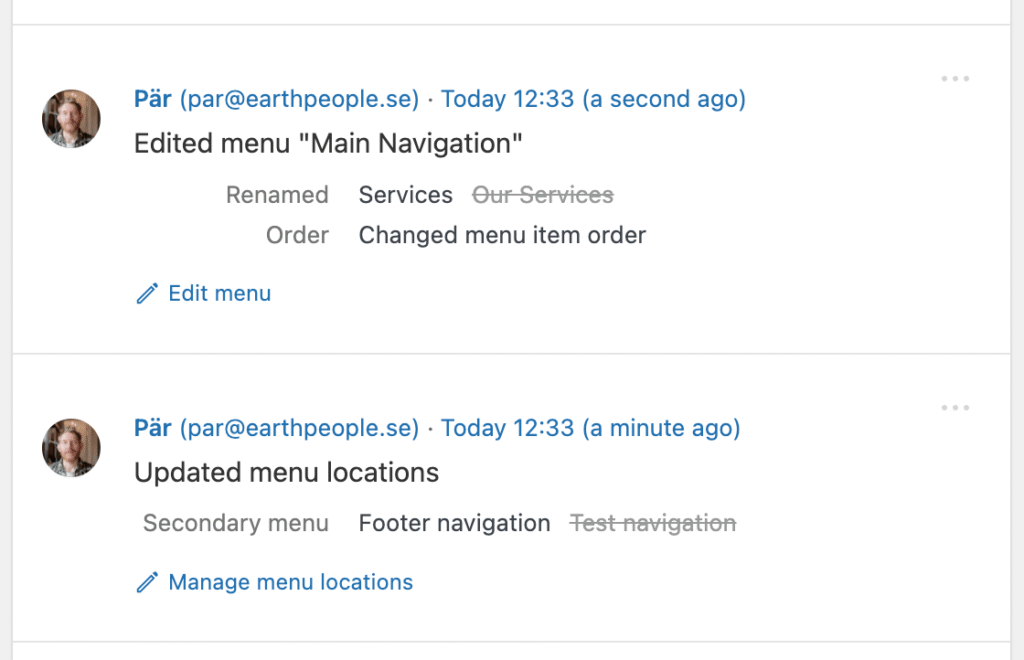
- Edit menu and Manage menu locations for menu events
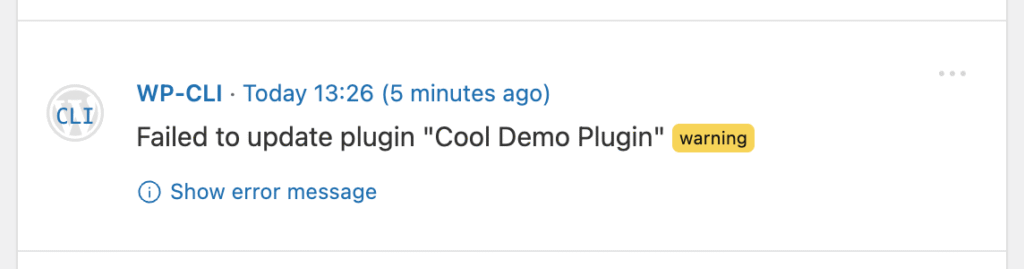
- Show error message on plugin install/update failures — opens the event details modal where the underlying error message and diagnostic context are shown
Copy as JSON
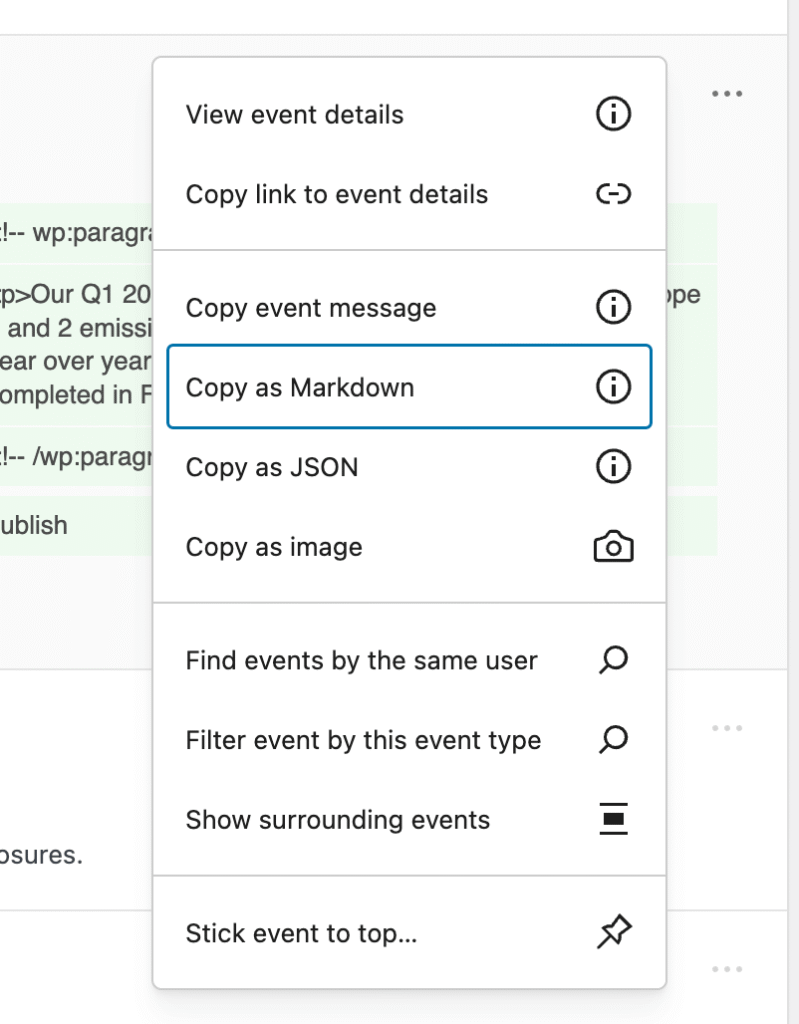
Each event now has a Copy as JSON menu item that copies the full event payload — including all context data — for scripting and debugging. Pair it with jq on the command line and you can answer questions like “what was the exact request that triggered this?” without leaving the log.
There’s also a richer Copy as Markdown option, suitable for tickets, Slack messages, or notes.
🧪 Experimental features
Two new features that are gated behind the experimental features setting. Enable them to try them out — feedback welcome.
History column on posts and pages
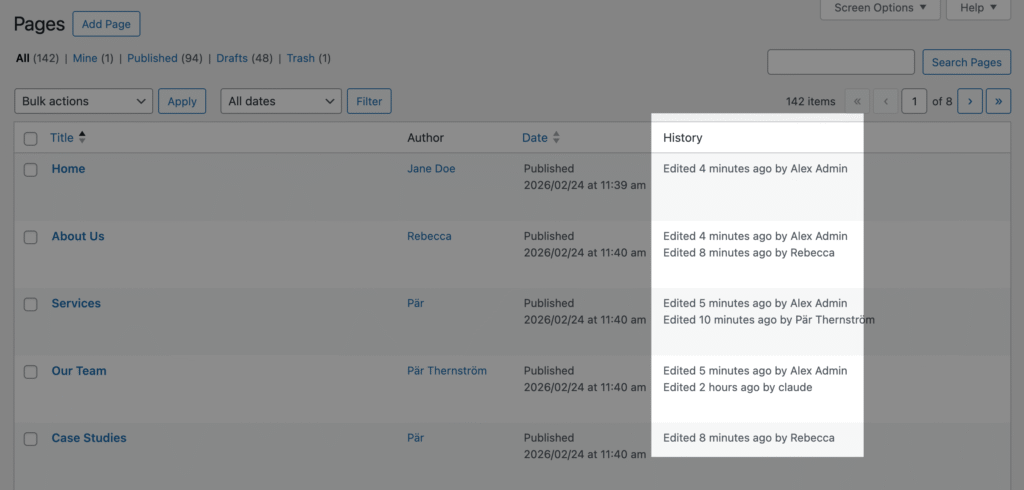
Adds a column on the post and page list tables showing recent activity at a glance, with View history row action links on hover.
Failed application password authentication logging
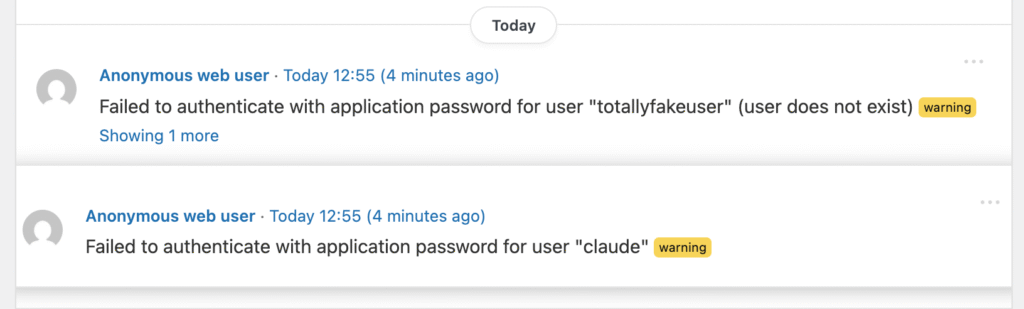
Closes a visibility gap where wrong app password attempts on the REST API or XML-RPC left no trace in the log, while wp-login failures already did.
Want a heads-up when this happens? Simple History Premium can alert you in real time over email or Slack — handy for catching brute-force attempts before they pile up.
Get the update
Simple History 5.27.0 is available now. Update from your WordPress dashboard or download it from WordPress.org.
Full changelog
Added
- Plugin active/inactive status is now recorded when plugins are updated, shown in event details when the plugin was inactive at update time.
- Success confirmation and automatic log refresh after manually adding a log entry.
- Action links (Edit, View) for media attachments, plugins (“View changelog”), and user profiles (“Edit user”).
- “Edit menu” and “Manage menu locations” action links on menu and menu-location events.
- “Show error message” action link on plugin install/update failure events. Loggers can opt other events in via the new
Logger::event_has_more_details()method. wp simple-history infoWP-CLI command — prints the installed version, premium add-on status, and a list of useful subcommands.- New opt-in columns for
wp simple-history listvia--fields=:date_relative,site, andai_agent. - AI agent attribution on event log rows: when an event is triggered by an AI tool, a sparkle icon and the agent name appear next to the user.
- “AI-initiated events only” filter in the expanded filters panel.
- New “Copy as JSON” menu item for each event.
- 🧪 Experimental — “History” column on post and page list tables showing recent activity, with “View history” row action links.
- 🧪 Experimental — Failed application password authentication on REST API and XML-RPC requests is now logged as a warning. Toggle via the new
simple_history/log_failed_app_password_authfilter.
Changed
- Event details for 12 loggers are now more consistent across the UI and structured in the REST API (migrated from manual HTML output to the Event Details API).
- Navigational links in comment and plugin events moved from event details to the action links bar.
- Tips in the sidebar and dashboard widget now draw from a single curated list.
- Date filter dropdown reorganized: “All dates” at the top, presets grouped under “Recent”, and specific months grouped under “By month”.
- “Copy detailed event message” renamed to “Copy as Markdown” with a richer Markdown layout suitable for tickets, Slack, or notes.
- Stats page “Events overview” chart and sidebar “History Insights” daily activity chart switched from line charts to bar charts, with today highlighted in a contrasting accent color.
Security
- Event reaction endpoints now enforce per-event read permissions. Reactions are experimental and off by default. Reported by Wordfence.
- Password reset request events no longer store the full reset email body in their context.
- Removed the
simple_history/comments_logger/log_failed_passwordandsimple_history/comments_logger/log_not_existing_user_passwordfilters. on_xmlrpc_call()in the post logger no longer builds a context block from the raw XML-RPC request body before discarding it.
Fixed
- Retention upsell message showing “deleted in 0 days” when event deletion is imminent. Now shows “scheduled for deletion” instead.
- Sidebar tip that suggested clicking a user’s avatar would filter the log — clicking actually opens a user details card, and the tip now reflects that.
wp simple-history dev resetreported “1 options deleted” for the singular case; now uses proper plural handling via_n().- Menu logger flagging unrelated items as “Renamed” on every menu save. Items with HTML in their label, and items inheriting their label from a linked page, are no longer reported as renamed when nothing was actually changed.
- Menu logger not surfacing renames of the menu itself — the previous and new menu name are now shown in the event details when the “Menu Name” field is changed.