
As you may know we recently took over or rather took back the plugin CMS Tree Page View. And as promised we even more recently released an update of it with modern code and a better GUI and added Simple History support.
With a rating of 4.9 out of 5 stars from 354 reviews we think you should give our page tree plugin a try!
Not only because it’s an easy way to order pages, but it’s really a very nice and convinient way to see and find and navigate your pages. It’s compact and fast.
Today we have released version 2.4.0 of the plugin with a an enhancement that we think you will like (also something that was requested in the suport forum as well!)
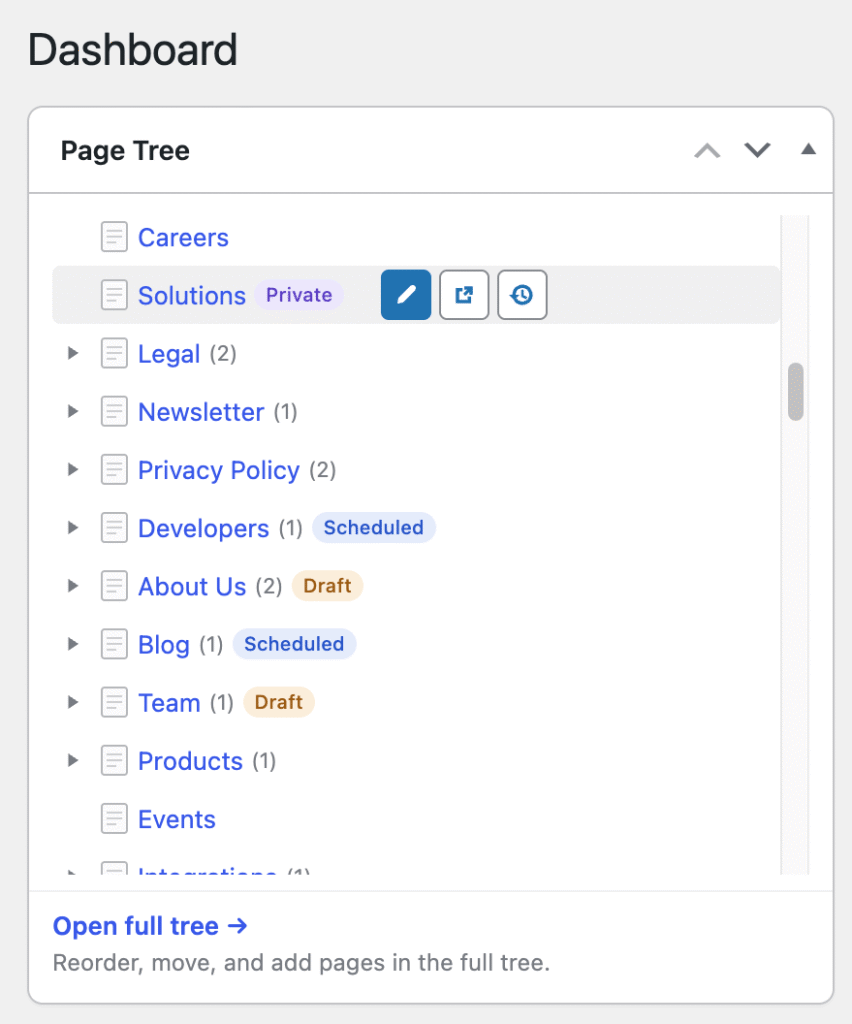
Now when hovering a page you will see icons that on click takes you directly to the edit page screen, the permalink of a page (i.e. the public view of the page) and a link that takes you to the history of that page (a link that goes to… you guessed it! Simple History). The last link is our favorite and we use it all time time on sites with multiple authors to quickly see the latest changes on a page.
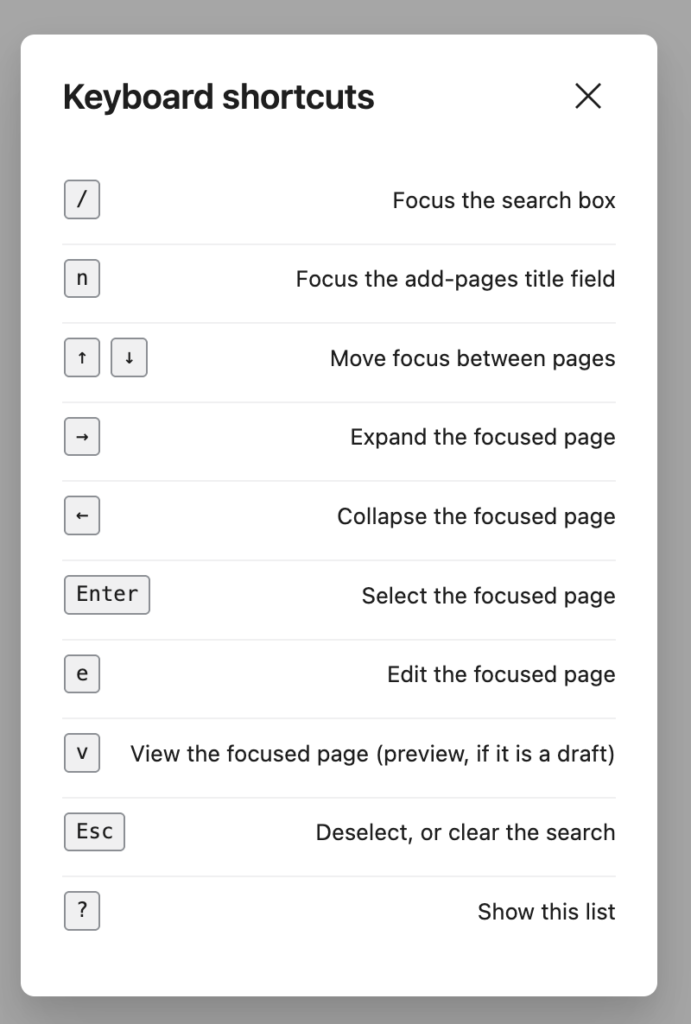
The new actions are also available using the keyboard. Use arrow keys to navigate to a page and press e to edit the page or v to view the page.
If you have not already tried CMS Tree Page View give it a try today.
Read more about it on it’s plugin page or give it a try directly in your webbrowser.