
Long diffs expand in place, “View revision” opens the revision that change actually made, and a brute-force attack on the REST API is one row in your log instead of thousands. Plus site icons shown as images, and the usual pile of fixes.
Post and page edits are the events we look at most when working on a site. As soon as a site has several authors, they are the quickest way to see what editors and authors are actually doing, so that is where we keep refining the layout. The first two changes in this release are about exactly that.
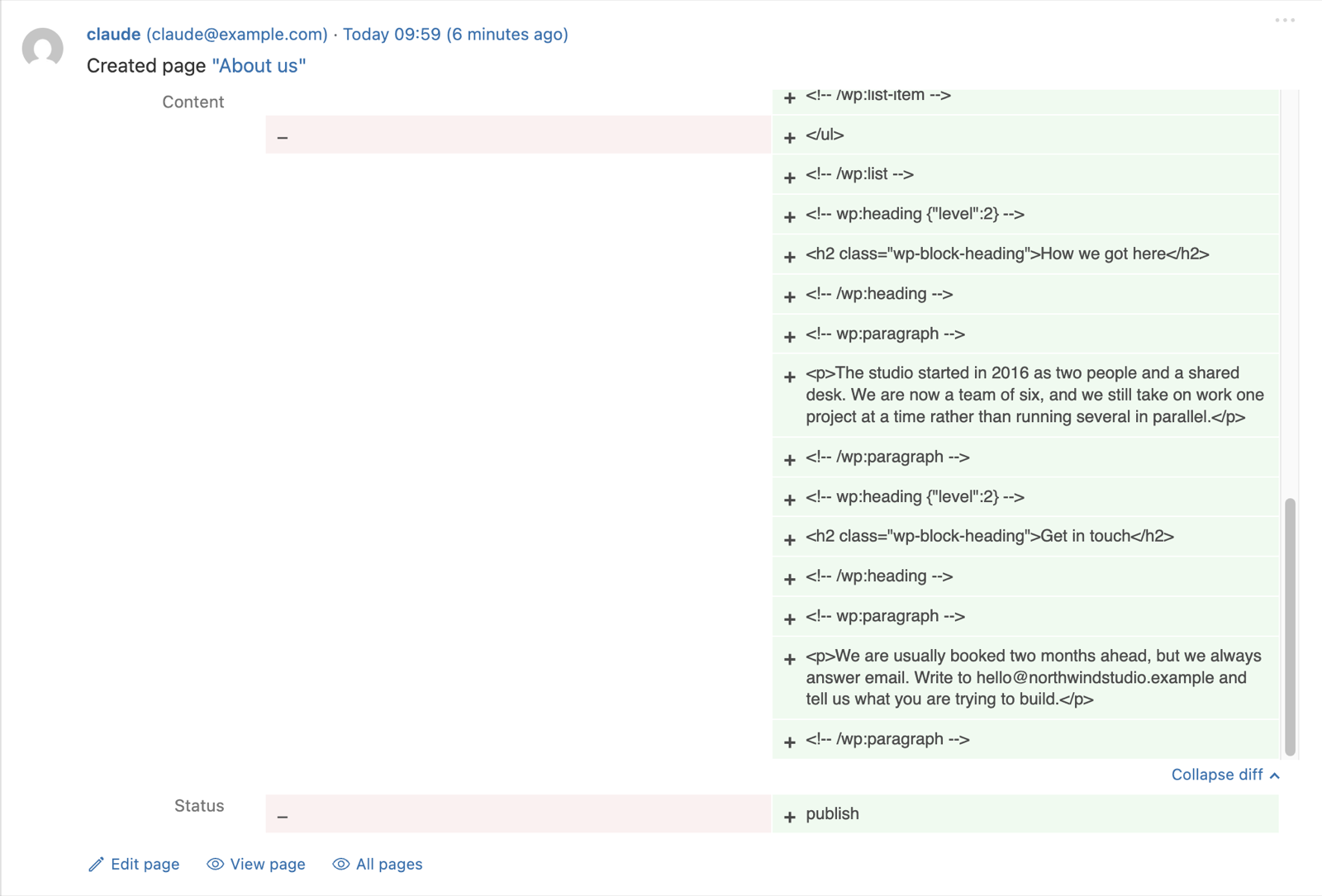
Long diffs expand in place
Before this update, when someone rewrote a long page, the diff in the event details was cropped to a small box you had to scroll inside.
But sometimes you want to see more of the diff right away, so larger diffs now get an “Expand diff” button. Click it and the whole thing opens right there.
“View revision” opens the visual revision view in WordPress 7.1
Before this release, the revisions link on those events went to the old, not very visual, compare screen, and it always opened the latest revision of the page rather than the one the event was about. That is fixed now. The link is called “View revision” and takes you straight to the revision that change created, in the visual revision view that WordPress 7.1 added to the block editor, with the changed blocks marked up right in the page. Win win.
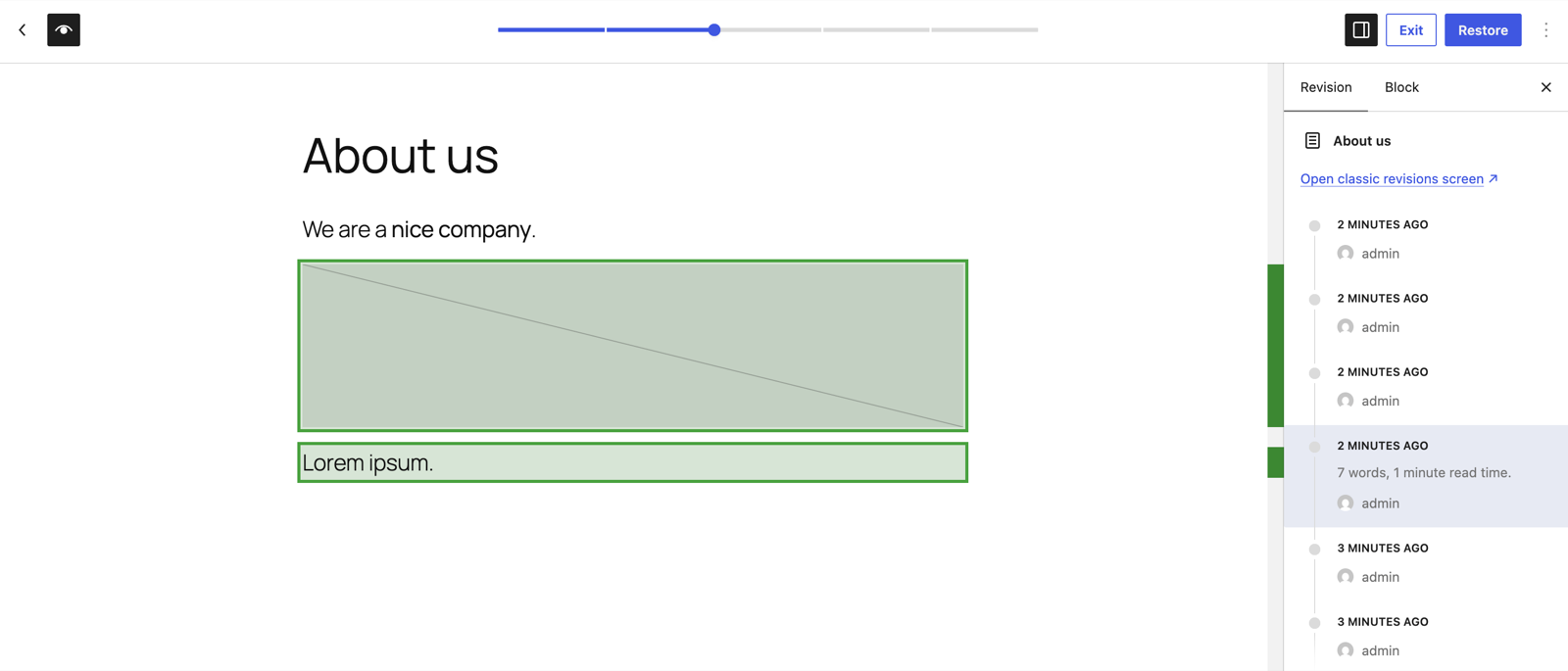
If you prefer the classic revisions screen, the visual view has a link to it. On WordPress before 7.1 you land on the classic compare screen directly, still at the right revision.
Failed application password logins are grouped now
A brute-force run against the REST API used to fill the log with one row per attempt. Failed logins with an application password are now throttled and grouped the way failed form logins already are, so an attack is one row with a count. Form logins have had this for years; application passwords never got the same treatment, and I should have caught that earlier.

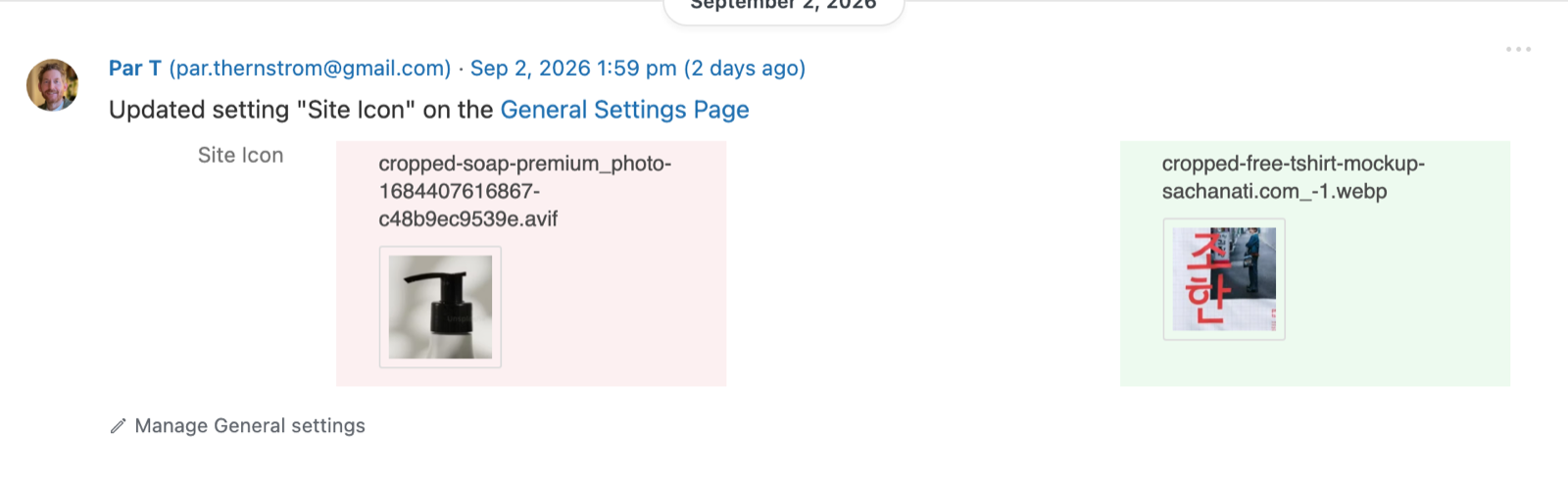
Site icon changes show the icons
Change the site icon and the event now shows the old and new icon side by side, the way featured image changes already do.
Previously you got two attachment IDs. Technically correct, and no use at all if you want to know what the icon looked like.
Simple History 5.32.0 is out now. Update from Plugins → Updates in wp-admin, or download it from WordPress.org. If something looks off, let me know on the support page.
Full changelog
Added
- Long diffs can be expanded in place with an “Expand diff” button.
- Note events carry the same action links as the page or post the note belongs to.
- Experimental — “Hide events of this type” in an event’s actions menu removes that event type from the current list. Hidden types show as removable chips above the list and never change what gets logged.
Changed
- Post and page events link to the revision the change created, labelled “View revision”. On WordPress 7.1 and later it opens the editor’s visual revision view.
- Site icon changes show the old and new icon as images, side by side, instead of attachment IDs.
- Action links below events are grey until the event is hovered or focused, and separated by a dot in the dashboard widget.
- When a license key has reached its activation limit, the settings page explains why and how to free it up from the Lemon Squeezy “My orders” page.
- Experimental — Event fields sent to AI tools through the WordPress Abilities API carry readable labels and descriptions, following the output schema conventions added in WordPress 7.1.
Fixed
- Relative times (“2 minutes ago”) could be off by the site’s UTC offset.
- “Copy event message” and “Copy as Markdown” copied the site’s time instead of the time shown in the log.
- Content diffs use the same green and red as WordPress core’s revision screen. Some events used a different set.
- “Edited your profile” events no longer appear when nothing changed. The block editor saves editor preferences to your user record, and each save was logged as a profile edit.
- Notes inside a block (WordPress 7.1) no longer show a literal
<br>tag, and a note starting with an @mention no longer has it glued to the next word. - Reaction emoji no longer show as broken images when the site’s emoji image host is unreachable.
- Failed application password logins are throttled, grouped, filtered and counted like other failed logins. A brute-force attack against the REST API could previously flood the log.
- Featured image changes on posts no longer show raw “thumb_id” and “thumb_title” rows, show “None” on the empty side, load small thumbnails, and are included in the structured event details.
- Uploading a zip over an installed theme or plugin is logged as an update, downgrade or reinstall, instead of as a new install.
Security
- Misc security hardening.
If Simple History is useful to you, a five-star review genuinely helps.